The RFQ lands at 9:00 a.m. You have a 3D model, a drawing with several tight callouts, a material request, and a delivery date that leaves little room for hesitation. By lunchtime, another shop may already have replied. If your estimate is rushed, you risk missing setup, inspection, finishing, or stock costs. If you move too slowly, a technically sound quote may arrive after the buyer has narrowed the field.
That's the challenge in CNC machine quotation. Speed matters, but speed without consistent assumptions creates margin leakage and weakens customer trust. A reliable process has to capture the request, read the technical package, price every meaningful operation, record revisions, and hand the same information to production.
Table of Contents
Getting Your RFQ Intake Under Control Before You Price Anything
How to Read CAD Drawings and BOMs Without Missing Cost Drivers
Why CNC Machine Quotations Make or Break Your Shop
A quote is the front door to your shop's revenue. It decides which opportunities receive attention, tells the buyer how seriously you understand the work, and establishes the commercial assumptions that production will later inherit. Treating quotation as clerical work is expensive because a missed feature or unclear finish requirement can follow the job all the way to inspection.
The response window is already tight. A 2026 manufacturing benchmark reports that general job shops average 3.8 days from RFQ receipt to quote submission, precision machining shops average 4.5 days, and sheet metal and fabrication shops average 2.4 days. The top 10% of shops across types average 1.2 days, and quotes sent within the first four hours have a 10 to 20 percentage point win-probability advantage over quotes sent after 48 hours, according to manufacturing quoting speed benchmarks.
That doesn't mean every job should receive a blind same-day price. It means your shop needs to separate fast acknowledgment from complete technical pricing. A standard machined bracket may need a rapid estimate. A multi-operation assembly with purchased items, outside finishing, and demanding inspection requirements needs a clear review path, even if the customer receives an immediate acknowledgment and target date.
Practical rule: Respond quickly enough to stay in the buyer's active consideration, but never hide uncertainty inside an attractive price.
Inconsistent spreadsheets cause the quiet damage. One estimator includes deburring and inspection, another treats them as shop overhead, and a third uses an old material price. The customer sees different prices for similar work, while the owner sees margin disappear after the order is released. The problem isn't effort. It's the absence of a shared system of record.
For owners working on broader pipeline development, the CNC shop lead generation playbook is useful context because winning more RFQs only helps when the shop can process them consistently. The operational side is equally important, as this discussion of why slow quoting is costing U.S. machine shops makes clear.
A sound workflow starts with intake, then moves through CAD and drawing review, feature-based costing, material and finishing checks, commercial approval, revision control, and production handoff. By the end, you should have a quote that is fast enough to compete, detailed enough to defend, and structured enough for the shop floor to execute.
Getting Your RFQ Intake Under Control Before You Price Anything
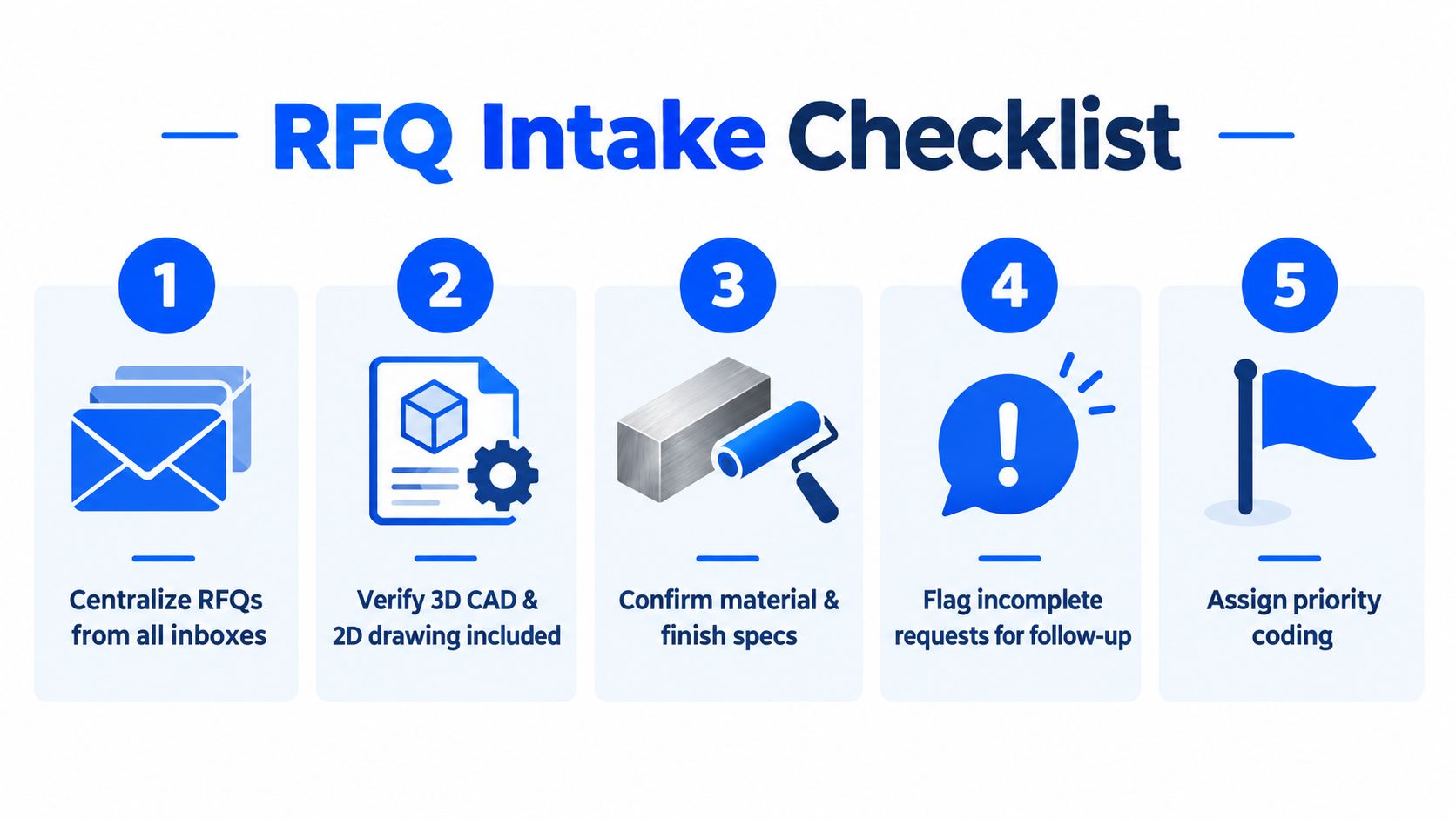
Most quoting problems begin before anyone opens the CAD file. Requests arrive through sales inboxes, personal email, forwarded messages, customer portals, and phone calls. An estimator starts working from one thread while a newer revision sits somewhere else. Centralizing the request is the first control.
Create one intake record
Every RFQ should receive a record containing the customer, contact, part number, revision, quantity, requested delivery, material, finish, and assigned estimator. Attach every file to that record rather than leaving the working package inside an email chain. A shared typical machine shop RFQ process gives your team a useful reference for defining those stages.
Then check completeness before spending estimating time. For CNC machining, look for the 3D CAD model and 2D drawing, material grade, quantity, tolerance requirements, finish, inspection expectations, and delivery target. For sheet metal fabrication, add thickness, bend information, flat-pattern details where available, hardware, weld requirements, and any coating or paint specification.
Triage the request instead of treating every RFQ equally
A simple priority code works well:
Urgent commercial opportunity: A clear package, realistic delivery, and a customer who needs a prompt answer.
Technical review required: Missing information, complex geometry, unusual material, outside processing, or unclear inspection requirements.
Follow-up needed: The request cannot be priced responsibly without files or specifications.
Low-priority development: An exploratory inquiry with no defined quantity, timing, or usable technical package.
Acknowledge incomplete RFQs immediately. Tell the customer exactly what's missing and give an interim timeline for review. Don't let an incomplete request consume the same estimating capacity as a complete, time-sensitive opportunity.
The response expectation is unforgiving. A buyer survey reported that 67% of respondents expect a quote in under 24 hours, while only 6% are willing to wait longer than three days, according to the Paperless Parts buyer survey. The same source reports estimated win rates of roughly 38 to 42% for responses within 24 hours, declining to about 10 to 15% by five days. Treat those figures as a commercial warning, not as permission to skip technical review.
Set separate internal service levels. Standard RFQs should be targeted for sub-24-hour turnaround. Complex requests should receive a fast acknowledgment, an owner, and a documented review deadline. A dashboard showing received, in progress, waiting for customer, ready for approval, and sent prevents valuable requests from disappearing in email.
Ask for missing information before you build a detailed estimate. Every undocumented assumption becomes a future argument about price, lead time, or responsibility.
How to Read CAD Drawings and BOMs Without Missing Cost Drivers
A CAD model shows shape, but the drawing often determines responsibility. The drawing controls tolerances, datums, threads, surface requirements, inspection notes, and revision status. The BOM adds purchased components, quantities, materials, and assembly relationships that may not appear in the individual part file.

Use a fixed technical review order
Start with the title block and revision. Confirm that the model, drawing, BOM, and customer email describe the same part. A revision mismatch is more dangerous than a missing dimension because the estimator may price the wrong geometry with confidence.
Next, review the geometry for cost drivers:
Material and stock: Identify grade, starting stock form, oversize requirements, and whether the material needs certification or traceability.
Features: Count holes, pockets, faces, threads, chamfers, deep cavities, thin walls, and difficult orientations.
Tolerances: Separate ordinary dimensions from features that require special tooling, probing, temperature control, or additional inspection.
Surface and finish: Distinguish machined surface requirements from anodizing, plating, painting, passivation, or other outside processing.
Quantity and assembly: Confirm batch size, repeat orders, purchased hardware, subassemblies, and packaging needs.
For unspecified linear tolerances on a machined metal part, ISO 2768 can provide a documented baseline. Its fine class allows ±0.05 mm over 0.5 to 6 mm, ±0.10 mm over 6 to 30 mm, ±0.15 mm over 30 to 120 mm, and ±0.20 mm over 120 to 400 mm. The medium class allows ±0.1 mm, ±0.1 mm, ±0.2 mm, and ±0.3 mm across those same size bands, as summarized in ISO 2768 CNC machining tolerance guidance. Don't apply a default if the customer's quality system may require something else. Record the assumption and ask for confirmation when it affects process selection or price.
Treat sheet metal as a formed process
Sheet metal quotes fail when estimators price the flat blank and overlook what happens after forming. Bend-to-hole, bend-to-edge, and bend-to-bend dimensions affect fit-up. Practical fabrication guidance commonly allows about ±0.38 mm to ±0.635 mm for those bend-related dimensions, with bend angles typically held to ±1°, according to sheet metal design guidelines from Protolabs.
Raw material introduces another layer of risk. Thickness and stock variation need separate consideration from formed dimensions because incoming sheet tolerance can affect the finished part, as explained in the Xometry sheet metal design guide. Lock down thickness, grain direction where relevant, bend radius, hardware, weld sequence, and finish before assigning a price.
Use clarification questions when a requirement changes the manufacturing route. Apply a documented default only when the customer's package supports it, your team uses that default consistently, and the quote states it plainly. A short assumption note protects more margin than a long disclaimer buried in an attachment.
The engineering drawing review resource can help standardize the questions estimators ask before they move into costing.
Building an Accurate and Profitable CNC Quote That Holds Up
Once the technical package is understood, build the estimate in layers. Don't start with a guessed hourly rate multiplied by an optimistic cycle time. That approach looks fast until the first job includes extra work that nobody priced.
Price the physical inputs first
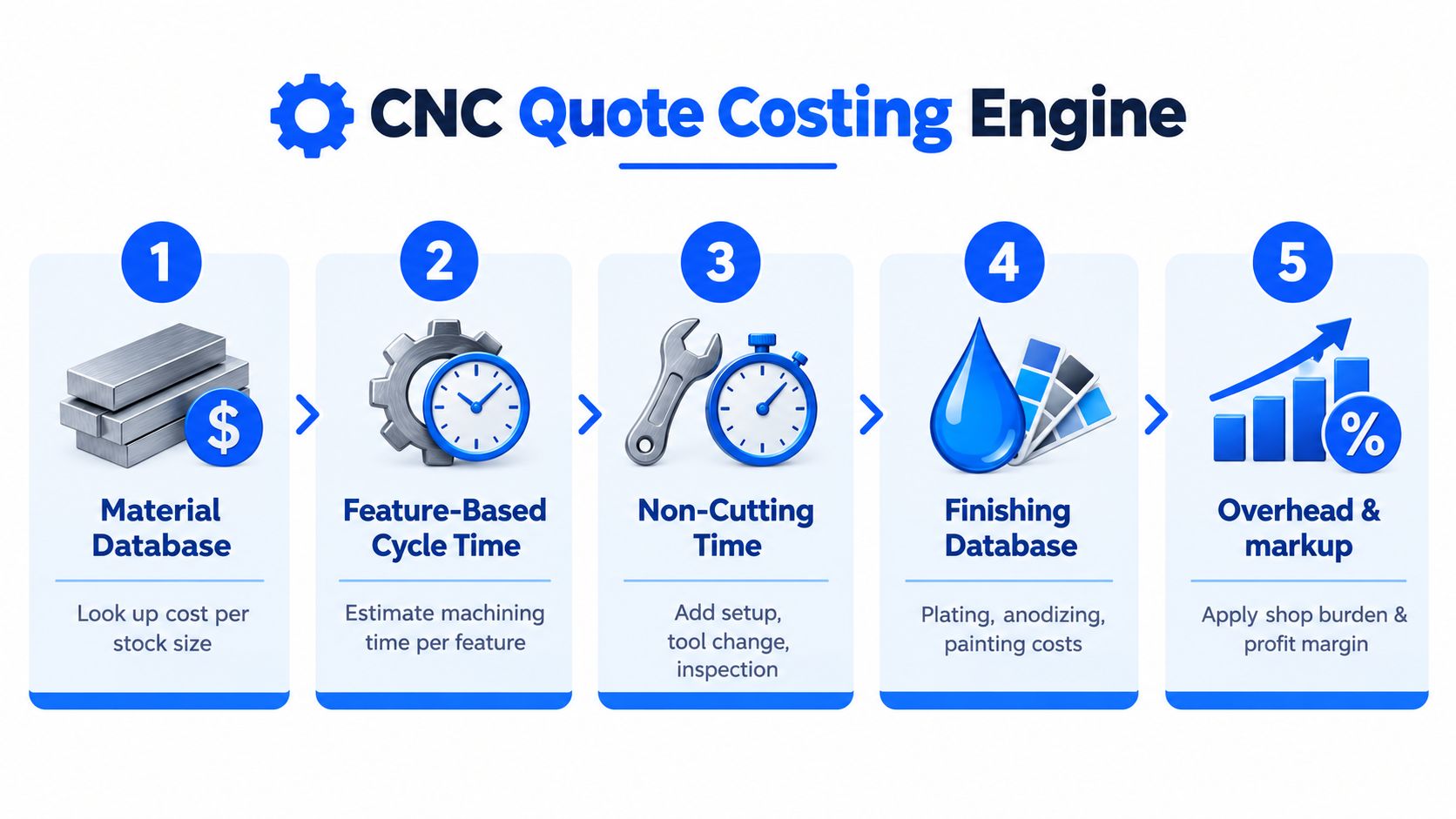
Create a material database that distinguishes grade, stock size, supplier, and current buy price. The estimate should reflect the stock form you'll purchase, including saw cuts, remnant policy, and material waste. For sheet metal, include the incoming thickness and any required certification instead of treating the finished formed dimensions as the entire material obligation.
Finishing deserves its own database. Anodizing, plating, painting, powder coating, passivation, heat treatment, deburring, and specialized cleaning can carry different minimum charges, packaging requirements, and lead times. A finish line in the drawing isn't an administrative note. It can determine whether the job is viable at the customer's requested delivery.
Estimate by feature, not by spindle time alone
A practical CNC quoting method counts every hole, pocket, face, thread, and chamfer, then assigns a cycle-time estimate to each. One benchmark workflow gives drilled holes a sample range of 3 to 10 seconds and tapped holes 5 to 15 seconds, then recommends adding 15 to 25% for non-cutting time, amortizing setup across the batch, and applying a shop factor of about 1.15 for a very well-run shop or 1.30 for a typical shop, as described in this CNC job shop quoting methodology.
The point isn't that every shop should use identical factors. The point is to make the logic visible and adjustable. Include tool changes, probing, rapids, loading, unloading, inspection pauses, deburring, cleaning, and expected interruptions. Pure cutting time is usually the cleanest number in the estimate and one of the least reliable numbers for a small batch.
A workable calculation flow looks like this:
Material cost: Stock purchase, cutting allowance, waste, certification, and expected scrap risk.
Programming and setup: CAM preparation, fixture design, workholding, first-piece setup, and prove-out.
Feature cycle time: Cutting, drilling, tapping, facing, pocketing, contouring, and secondary operations.
Non-cutting time: Tool changes, probing, handling, inspection, deburring, and cleaning.
Outside services: Finishing, heat treatment, plating, coating, special inspection, and freight.
Commercial load: Shop burden, risk adjustment, profit requirement, and the selected delivery option.
Protect small-batch margin
Setup dominates many low-quantity jobs. Amortize setup across the quoted batch, not across an imagined future order. If the customer wants a prototype quantity, show the setup and one-time engineering work clearly, then offer a separate repeat quantity when the process is proven.
Lead time should be a priced decision. An expedited route may require schedule disruption, outside processing coordination, premium freight, or overtime. A standard route gives production room to run the job in sequence. Quote both when the customer's timing is uncertain, but don't promise an aggressive date without checking machine, finishing, inspection, and material availability.
A profitable quote explains what the customer is buying, what assumptions control the price, and what will change if those assumptions change.
Markup should follow your shop's actual burden and risk. Don't use a universal percentage copied from another shop. Review historical estimates against actual labor, material, outside processing, and rework. If a class of parts consistently overruns, fix the operation logic or risk factor instead of hoping markup will conceal the problem.
Manufacturing quote quality remains a serious issue. A 2025 report found that 79% of manufacturers experience quote-quality problems, with nearly four in ten experiencing them regularly. The report also showed quotation software investment rising from 33% in 2023 to 41% in 2025, according to Tacton's 2025 manufacturing report. That shift reflects a practical need for consistent assumptions, not faster arithmetic.
Templates Revisions and Handoff That Keep Quotes Consistent
A quote becomes valuable when another person can understand and use it without calling the estimator. That requires more than a polished PDF. The record should show which files were reviewed, which revision was used, what assumptions were applied, and how the price connects to the planned routing.
Build templates around decisions
A reusable template should contain customer and part information, quantity breaks, material, finish, inspection scope, lead time, payment terms, freight responsibility, exclusions, and revision status. Configure different templates for CNC machining, sheet metal fabrication, assemblies, and outside finishing. A machined aluminum component shouldn't inherit the same assumptions as a welded and painted enclosure.
Keep the assumptions visible near the relevant line item. If the price assumes customer-supplied hardware, say so beside the assembly scope. If the finish is budgetary, mark it as such. If a tolerance interpretation relies on ISO 2768, name the standard and class used. Clear assumptions reduce back-and-forth because the buyer can challenge one item instead of questioning the entire quote.
Material and finishing databases also need ownership. Assign someone to update supplier prices, outside-service charges, minimum fees, and lead times. Stale data creates a professional-looking quote with an outdated foundation.
Make revisions traceable
Never overwrite a sent quote. Create a new revision linked to the previous version, record the customer change, and identify which costs changed. The revision note might cover quantity, material grade, drawing revision, finish, tolerance, packaging, or delivery. This prevents the common argument that the shop “changed the price” when the customer changed the job.
Use a simple change log:
Customer change: What the buyer requested.
Technical effect: Which operations, materials, or inspections are affected.
Commercial effect: What changed in price or lead time.
Approval: Who reviewed and released the revision.
Production impact: Whether an existing traveler, purchase order, or work order must change.
The handoff should carry the estimate into production without forcing a second interpretation. Give production the accepted revision, material and finish requirements, setup notes, inspection points, outside-service instructions, and customer commitments. Give accounting the same part number, quantity, price, tax or freight treatment, and purchase assumptions.
A digital traveler can connect the quoted operations to the job route. Email synchronization and CRM-style activity tracking preserve customer context, while an accounting connection such as QuickBooks can reduce duplicate entry between the front office and back office. Whether you use spreadsheets, an ERP, or specialized software, the principle stays the same: one accepted revision, one set of assumptions, one operational record.
That traceability protects margin after the quote is won. It also gives the owner a way to compare estimated time with actual time and improve the next quotation instead of repeating the same error.
Quoting Smarter and Faster Without Sacrificing Accuracy
Faster quotation doesn't come from asking estimators to work harder every evening. It comes from removing avoidable searching, rekeying, and assumption-making. Centralize RFQs, acknowledge missing information quickly, standardize technical review, estimate by feature, and preserve the revision trail.
A practical checklist for the next request is short:
Find the latest package: Match the CAD model, drawing, BOM, and revision.
Confirm the inputs: Material, quantity, finish, tolerance, inspection, and delivery.
Separate fixed and variable work: Setup, programming, material, cycle time, finishing, and inspection.
Expose assumptions: Put uncertain items where the customer and production team can see them.
Review the handoff: Make sure the accepted quote can become a traveler without re-estimating the job.
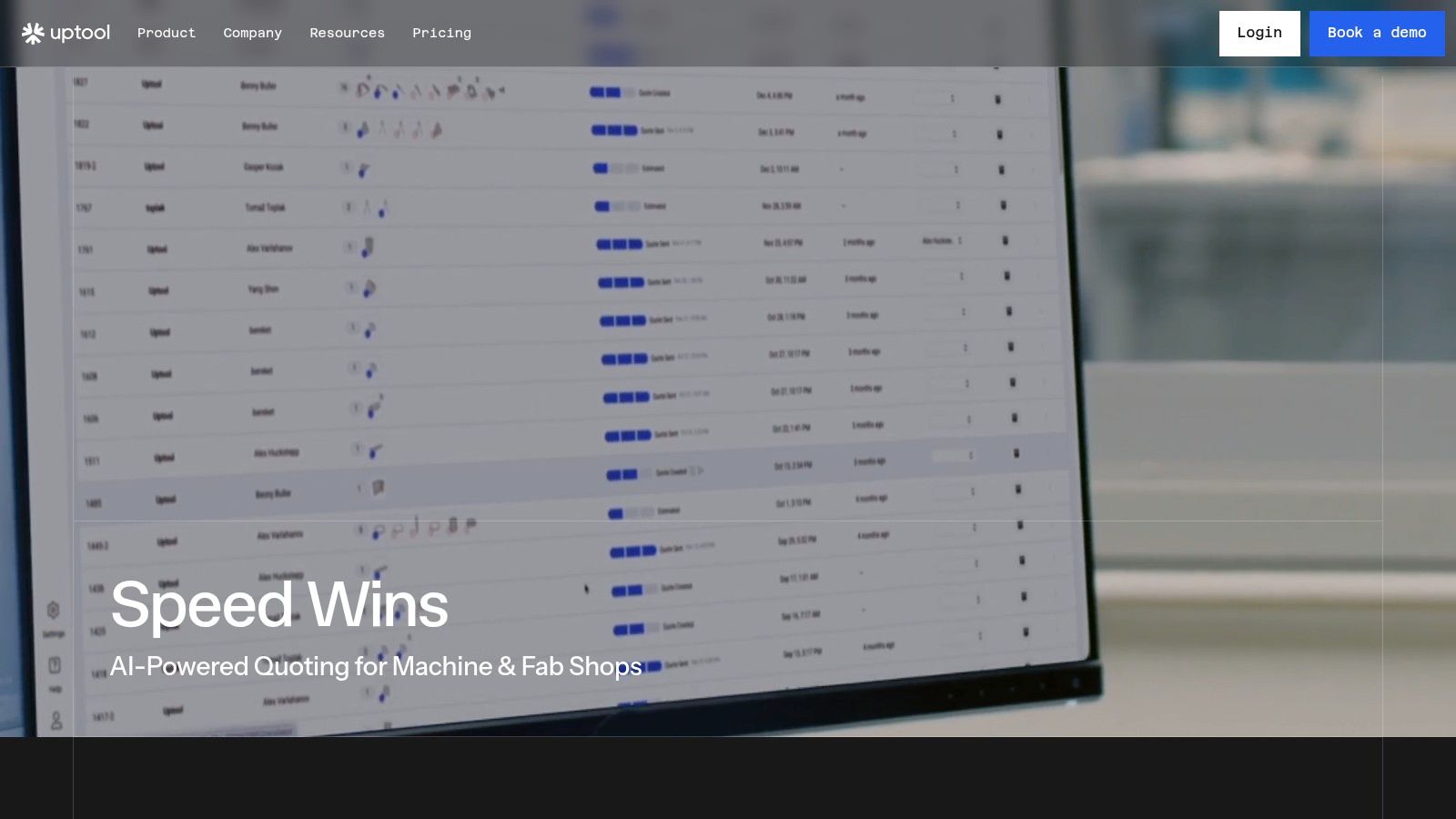
Automation can handle repetitive extraction and organization while the estimator keeps control over exceptions. The right platform should read connected inboxes, organize CAD, drawings, and BOMs, apply shop-specific calculators and databases, create configurable quotes, preserve revisions, and pass accepted work into downstream records. Uptool is one example of an AI-powered quoting platform built for CNC and fabrication shops, with RFQ routing, CAD and drawing analysis, reusable quote templates, revision history, digital travelers, and QuickBooks integration.
A dedicated system makes sense when RFQs are scattered across inboxes, estimators repeatedly enter the same information, revisions get lost, or actual job results never improve the quoting logic. Start with one workflow, measure where time and margin leak, and standardize the decisions that cause the most rework. The goal isn't a quote that merely leaves the shop quickly. It's a quote your team can defend, produce, revise, and learn from.
If your shop is losing time searching inboxes or rebuilding estimates from old spreadsheets, visit Uptool to see how its RFQ-to-quote workflow organizes emails, CAD files, drawings, BOMs, revisions, and production handoff. Use the next live RFQ to test whether a shared quoting record can give your team faster responses without hiding assumptions or sacrificing margin.