For CNC and fabrication shops, material yield can range from 60–85% for laser or plasma sheet work, 30–60% for milled plate or billet, and 70–90% for press-brake blanks, so the right estimating software must do more than produce a fast quote. It must parse CAD drawings accurately and connect with QuickBooks so quoted costs, actual costs, and margins stay aligned.
It's Monday morning. Your inbox is full of RFQs, several customers have attached revised drawings, and one urgent sheet-metal job is buried in a thread your estimator hasn't opened yet. The shop floor is ready for work, but the quoting queue is stuck because someone still has to inspect geometry, calculate stock, estimate setup and finishing, and re-enter the same information into accounting and production systems.
That's where print cost estimating software earns its place in a CNC or fabrication shop. The useful question isn't whether a platform can generate a professional PDF. It's whether the system captures the actual work behind the quote, including material yield, machining operations, tooling, labor, finishing, revisions, and the handoff into production and finance.
For manufacturers, “print” estimating often means a broader estimating discipline than commercial print software suggests. A good system should help you quote machined parts, laser-cut blanks, formed sheet metal, assemblies, and finishing work without forcing your team to maintain disconnected spreadsheets.
Table of Contents
Core Capabilities That Separate Good from Great Estimating Software
Comparing Top Estimating Platforms for CNC and Fabrication Shops
Why Most Job Shops Lose Bids Before They Quote
The owner sees a full inbox and assumes the problem is demand. The estimator sees something else, a queue of incomplete information. A drawing needs review, a material grade is unclear, the customer changed a revision, and the finishing requirement is hidden in a note rather than the main specification.
The shop may eventually produce a good quote, but the customer has already moved on. Buyers often favor suppliers who respond while the requirement is active, not the supplier who sends the most carefully calculated price after the decision has effectively been made. Slow quoting also consumes senior estimator time, which means complex work waits behind routine RFQs.

The margin disappears inside the details
A sheet-metal quote can look reasonable while still losing money. The estimator may price the part by weight, overlook the full sheet purchase, ignore skeleton scrap, or forget that the remnant can't be reused. Manufacturing guidance recommends accounting for skeleton scrap, trim margins, damaged-surface allowance, unreusable remnants, and certification or special-lot costs, rather than treating part weight as the complete material cost. See this explanation of material yield and purchased stock costing for the underlying logic.
CNC work creates a similar trap. A billet quote that uses net part volume but ignores the purchased stock size can understate material consumption before machining even begins. A finishing estimate can fail in a different way, especially when pretreatment adds etching, rinsing, or phosphate steps. A U.S. powder-coating guide lists pretreatment at $0.50–$1.50 on the low end and up to about $3.00 per part, depending on the process intensity. The finishing cost guide shows why “powder coat included” isn't a sufficient estimating rule.
Shop-floor rule: If the quote doesn't show how stock, operations, and finishing were calculated, the margin is an assumption.
Manual estimating becomes more expensive as RFQ volume grows. More requests create more administrative work, but delayed responses reduce the number of opportunities your team can pursue. A disciplined quoting workflow centralizes incoming requests, preserves revision history, and gives estimators a repeatable way to flag exceptions instead of rebuilding every quote from scratch. This analysis of slow quoting in U.S. machine shops is useful context for owners deciding whether the current process is merely inconvenient or actively restricting growth.
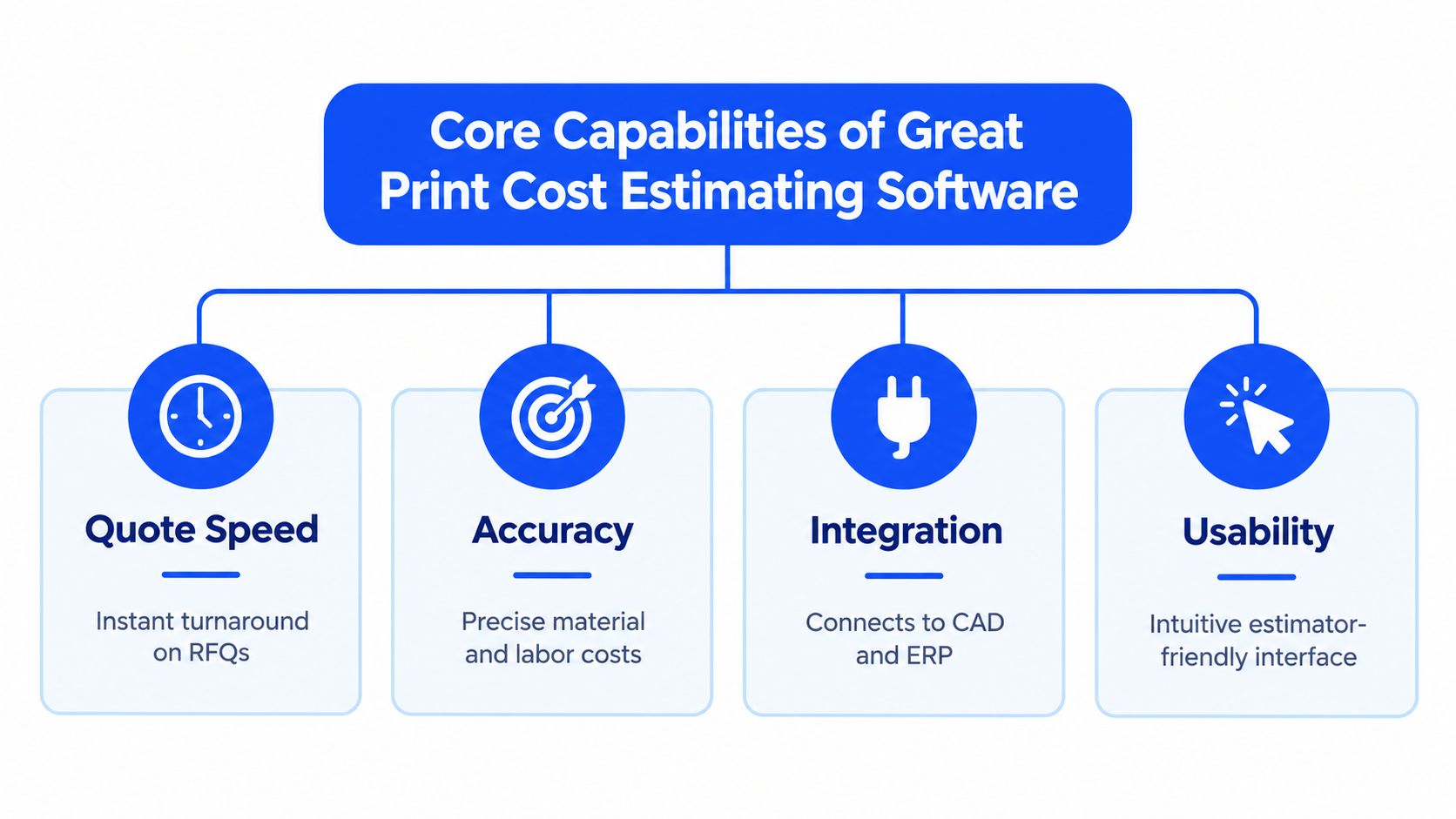
Core Capabilities That Separate Good from Great Estimating Software
A basic quote generator asks for quantity, material, and markup. A serious estimating platform rebuilds the manufacturing job behind those inputs. That difference matters because CNC and sheet-metal costs come from a chain of decisions, not one universal formula.
CAD interpretation comes first
The platform should read 3D CAD models, 2D drawings, and BOMs and extract the costing inputs that matter, dimensions, geometry, material notes, quantities, and revision details. It will not replace estimator judgment. It should remove repetitive inspection and re-entry so the estimator can focus on tolerances, unusual setups, customer priorities, and production risk.
If the software cannot preserve a connection between the source drawing and the estimate, the workflow is fragile. A revised file can invalidate the original material calculation or operation list without warning. Version history and explicit revision handling keep the shop from quoting old geometry while making the new part.
Material logic must reflect purchasing reality
Material databases need more than a material name and a nominal rate. They should support stock dimensions, supplier pricing, minimum purchase conditions, scrap assumptions, recoverable remnants, and certification requirements. For sheet metal, yield is net usable finished-part material divided by gross purchased stock, multiplied by 100. This material-yield reference gives typical yield ranges for laser or plasma work, milled plate or billet, and press-brake blanks.
For formed parts, estimate from the flat pattern before forming. One sheet-metal guide recommends unfolding the part, using the longest and widest dimensions for the footprint, adding a 2-inch border for tooling clearance, testing that footprint against available sheet sizes, and dividing sheet cost by yield to calculate true material cost per part. The sheet-metal estimating guide provides the calculation approach.
CNC shops need the same discipline. A billet quote that uses net part volume but ignores the purchased stock size understates material consumption before machining starts. The calculation has to match what the shop buys, not just what the CAD model shows. For a practical review of CAD handling, operation libraries, and costing logic, see CNC estimating software capabilities.
Accounting integration closes the loop
QuickBooks integration is not a decorative feature. It keeps customer records, quoted values, job information, and financial workflows aligned between the front office and back office. Ask whether the connection is a real data sync or just an export that someone must clean up by hand.
Independent review data also points to the functions buyers treat as important. Reviewers rate billing and invoicing as critical at 72%, job costing at 64%, and quotes or estimates at 72% in the cited review dataset. The capability review data supports a practical conclusion. Estimating software must protect traceable costs and margins, not just produce polished quote documents.
Comparing Top Estimating Platforms for CNC and Fabrication Shops
Most comparison articles force manufacturing platforms into a generic feature checklist. That isn't useful. A shop owner needs to know whether the tool can interpret real RFQs, maintain estimator oversight, calculate material and finishing costs, and transfer the result into the systems the shop already uses.
The table below uses practical evaluation criteria. It doesn't claim that one platform fits every operation. A strong demo should prove each capability with your own files.
Estimating Software Comparison for Job Shops
Software | CAD Parsing | QuickBooks Integration | Setup Time | Pricing Model |
|---|---|---|---|---|
Uptool | AI-assisted analysis of 3D CAD, 2D drawings, and BOMs, with estimator review | Available | One-hour setup with out-of-the-box workflows | Month-to-month subscription, with trial and ITAR-aware options for eligible U.S. shops |
Print MIS platform | Usually centered on print specifications and production data, with manufacturing CAD support requiring validation | Depends on the platform and connector | Configuration varies by scope | Subscription or platform-specific licensing |
Standalone estimating tool | Varies widely, often requiring manual drawing interpretation | Often export-based or connector-dependent | Usually requires rules and cost-library setup | Subscription or license |
Spreadsheet and custom workbook | No native CAD parsing | Manual entry or file export | Fast to start, difficult to govern | Internal labor and maintenance cost |
Generic ERP estimating module | May accept structured part data, but drawing interpretation often needs review | Commonly available, connector-dependent | Longer configuration and implementation | License, subscription, implementation, and support fees |
What to test in a live demonstration
Send the vendor a mixed RFQ package, not a clean sample part. Include a 3D model, a 2D drawing with tolerances, a BOM, a material note, a finishing requirement, and a revision. Then watch the workflow.
A useful platform should identify missing inputs, show where an estimator can edit assumptions, and maintain a clear record of what changed. It should also support RFQ ingestion from connected inboxes, organized status tracking, reusable operation libraries, configurable lead times and markups, and quote-to-production handoff.
Ask how the software handles an edge case. Independent review content warns that edge-case workflows may still require manual adjustment and that complex special cases can increase estimator input burden. This review of print estimating software limitations reinforces the point. Customization is valuable only when the team can govern it.
A platform that calculates standard work beautifully but hides exceptions is dangerous. A platform that exposes assumptions and lets experienced estimators correct them is far more useful.
Understanding Pricing Models and Total Cost of Ownership
The subscription price is only one line in the decision. Owners should calculate the cost of implementation, configuration, accounting integration, training, data cleanup, support, and ongoing maintenance before comparing vendors.
Subscription versus license
Month-to-month subscriptions reduce commitment risk for small and mid-sized shops. They let an owner test the workflow against live RFQs without treating the first configuration as irreversible. Perpetual licenses can appear more controllable, but they may shift more responsibility for upgrades, support, and infrastructure onto the shop.
Per-user pricing matters when estimators, sales staff, production planners, and managers all need access. Per-location pricing may make more sense for a multi-site operation. Per-quote pricing deserves scrutiny because it can discourage the high-volume quoting behavior the system is supposed to support.
The hidden implementation bill
Integration is often the largest source of surprise. A market report identifies complexity of integration and customization requirements as key challenges, especially for small businesses facing upfront investment and staff retraining costs. The market analysis of print estimating software also describes movement toward cloud deployment, accounting and project-management integration, and real-time cost visibility.
Before signing, ask these questions:
QuickBooks scope: Does the integration synchronize customers, items, estimates, invoices, and payment information, or does it only export files?
Data preparation: Who cleans material catalogs, labor rates, finishing rules, and customer pricing?
Configuration ownership: Can your team safely change a laser-cutting rule or finishing rate without vendor intervention?
Training coverage: Does training include estimators and production users, or only an administrator?
Support boundaries: Which fixes are included, and which become paid consulting?
Use a simple twelve-month ownership sheet. Add subscription fees, implementation, integration, training, support, and internal labor. Then compare that total with the cost of missed RFQs, margin leakage, and estimator time tied up in manual re-entry. For a broader framework on proven revenue-driving pricing tactics, focus on how pricing structure changes buyer behavior, not just how vendors display their plans.
How to Choose the Right Estimating Software for Your Shop
Start with your current workflow, not a vendor's feature page. Write down how an RFQ arrives, who reviews the files, where material costs come from, how finishing is priced, how revisions are handled, and how the accepted quote reaches production and QuickBooks.
Step one, define the failure you need to remove
Ask your team:
How many RFQs arrive through each inbox?
Which CAD formats and drawing types appear most often?
How frequently do revisions create duplicate or conflicting quotes?
Where do estimators re-enter information?
Which material, labor, or finishing assumptions cause disputes?
Does QuickBooks receive the information it needs without manual cleanup?
Rank the answers by financial consequence. If missed RFQs are the main problem, prioritize inbox ingestion and workflow visibility. If quotes look fast but lose money, prioritize material yield, operation costing, finishing databases, and estimated-versus-actual reporting.

Step two, score the demo with real work
Give every vendor the same RFQ package and score the result from your team's perspective. Use categories such as CAD and drawing capture, material calculation, finishing logic, revision control, estimator editing, QuickBooks handoff, production transfer, and reporting.
Don't let a polished presentation substitute for a working test. Ask the estimator who normally handles the job to perform the evaluation. The person who lives with the system will spot missing assumptions faster than an owner watching a scripted demo.
Demo test: Ask the vendor to show the exact input, rule, and revision that produced each major quote line.
Step three, test governance before customization
Deep configurability can improve fit, but it can also create a fragile system that only one estimator understands. Set naming rules, approval rights, material update responsibilities, and a review process for changing operation libraries.
Choose the platform that makes normal work easy and exceptions visible. Don't buy advanced functions that your team won't adopt, and don't accept a tool that requires estimators to maintain a shadow spreadsheet. The right system should reduce duplicate entry without removing experienced judgment.
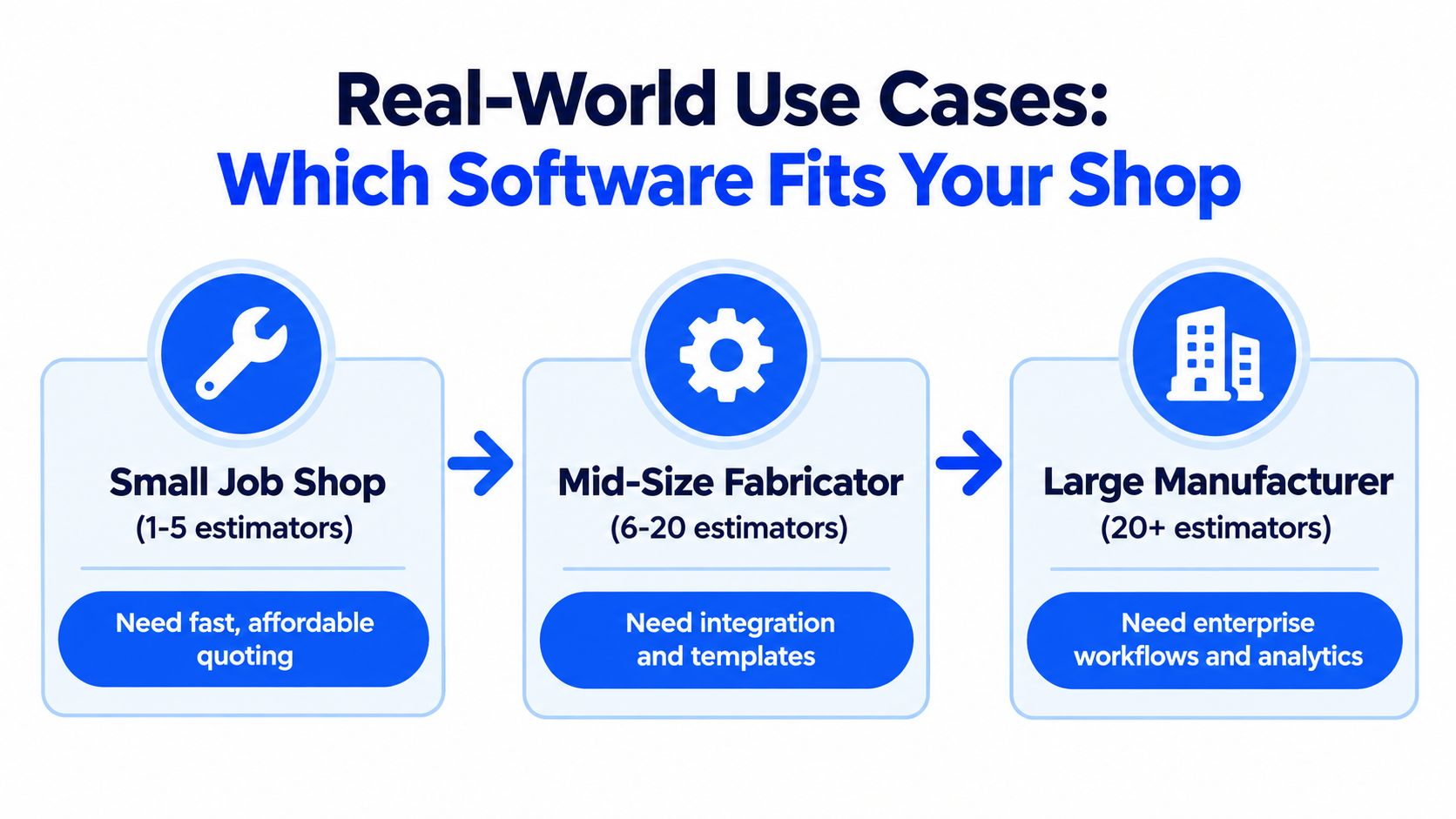
Real-World Use Cases Which Software Fits Your Shop Type
A one-person quoting desk has different priorities from a multi-department manufacturer. The best choice depends on how many people touch the estimate, how varied the work is, and how much control the owner needs over pricing rules.
Small job shops
A shop with one to five estimators needs fast adoption and low administrative overhead. It should prioritize:
Quick RFQ capture: Pull requests from existing inboxes instead of creating another intake process.
Simple setup: Start with common materials, machines, operations, and finishing rules.
Human review: Let the estimator edit assumptions rather than forcing blind acceptance of an automated result.
Accounting continuity: Connect accepted quotes with QuickBooks or provide a controlled handoff.
For this profile, a narrow estimating tool can be sensible if the shop already has strong production and accounting systems. A larger MIS may add functions the shop won't use, while a spreadsheet may leave too much margin logic in individual workbooks.
Growing fabrication operations
A growing fabricator needs consistency across estimators. The priority shifts toward shared material databases, reusable operation libraries, revision history, customer-specific pricing, digital travelers, and estimated-versus-actual analysis.
Sheet-metal work benefits from a system that treats the flat pattern, purchased sheet, yield, bend operations, tooling clearance, scrap, and finishing as connected parts of one estimate. A tool that only calculates weight will not protect the quote.
ITAR-aware and specialized shops
Security requirements need a direct vendor conversation. Ask where data is stored, who can access files, how permissions work, and whether the vendor offers an ITAR-aware operating option. Don't accept a generic “secure” statement as proof of fit.
Hybrid workflows can work when different job families have genuinely different economics. A shop might use one system for repeat production and another for highly engineered one-off work, but it should define the system of record clearly. Duplicate customer, material, and quote data creates reconciliation work that quickly weakens the benefit of specialization.
The Case for Automation in Modern Job Shop Estimating
A bad quote starts on the shop floor. The estimator sees a clean print, misses a finishing step, undercounts scrap, or carries the wrong sheet size into the job, and the margin disappears before the part ever hits the machine.
Automation fixes the repetitive work that slows down judgment. It pulls data from CAD, drawings, BOMs, email, material requirements, and finishing notes, then lets the estimator check the result, correct an odd operation, and record why the price changed.
Consistency is a profit control
Estimator-to-estimator variation is where shops bleed money. One person prices off weight, another adds a bigger scrap allowance, and a third remembers a coating surcharge from last month. The customer sees inconsistent quotes, and the shop gets garbage data for quote-to-actual review.
Rule-based pricing, shared calculators, and operation libraries give the shop one starting point. That matters because the estimate has to match how work gets produced, not how one person remembers it. The review of estimating capabilities and automated quoting software both point to the same practical lesson, the software has to connect pricing decisions to production reality.
Automation must expose uncertainty
A system that spits out a number without showing the assumptions is a liability. The estimator needs to see whether material was inferred, whether the stock size was correct, whether a finish step was missed, and whether a revision changed the operation list.
That matters in CNC machining and sheet metal work. One bad assumption on yield, bend allowance, outside finishing, or setup time can turn a winning quote into a loser. The right system flags those weak points instead of hiding them.
For shops evaluating automated quoting software, the test is simple. Does it help your team send cleaner quotes, keep the estimator accountable for exceptions, and hand the job to production without retyping the same data into QuickBooks or another system? If it does, automation strengthens the estimating process. If it does not, it only moves mistakes faster.
Next Steps Implementing Better Estimating at Your Shop
Start by auditing the last group of quotes that caused trouble. Don't review only the final price. Trace the source files, material assumptions, operation sequence, finishing requirement, revision history, approval, and accounting handoff.
Build a practical baseline
Ask estimators to record where time goes and where they lose confidence. Look for repeated manual actions:
RFQ discovery: Searching several inboxes for requests and revisions.
File review: Opening CAD, drawings, and BOMs separately to reconstruct the job.
Material costing: Converting purchased stock into usable part cost.
Operation costing: Rebuilding setup, cycle, tooling, and labor assumptions.
Finishing: Estimating pretreatment, coating, plating, masking, or outside services.
Re-entry: Typing quote data into production, CRM, or QuickBooks.
Choose a small set of representative RFQs for vendor testing. Include a straightforward machined part, a material-intensive sheet-metal part, a revision, and a job with meaningful finishing requirements. Require vendors to explain every assumption.
Roll out in controlled stages
Configure the materials and operations that account for most of your work first. Keep unusual rules documented rather than trying to encode every exception immediately. Run the new workflow beside the current process long enough for estimators to compare results, identify missing rules, and build trust.
Assign ownership for price updates. Someone must maintain distributor costs, labor standards, finishing charges, scrap assumptions, and customer-specific pricing. A system with stale data is still a stale estimating process, even if the interface looks modern.
Review results after launch
Measure qualitative and operational outcomes, not just quote volume. Are RFQs being captured reliably? Can an estimator explain the material cost? Do revisions preserve context? Does production receive the correct traveler? Does QuickBooks receive clean information? Do actual costs reveal a recurring underquote in a particular material, operation, or finish?
Owner's checkpoint: Keep the software only if it creates a clearer chain from customer file to quoted margin to production result.
Improvement comes from that feedback loop. Fix the rule, document the exception, retrain the team, and review the next comparable job. Better estimating is not a one-time software purchase. It's a controlled operating practice that protects the shop as customers, materials, machines, and processes change.
Uptool helps CNC and fabrication shops organize RFQs, analyze emails, CAD files, drawings, and BOMs, build estimates with configurable material and finishing logic, and connect quoting with QuickBooks. Visit Uptool to see whether its quoting workflow fits your shop's real files and production process.