A quote request lands at 4:45 on a Friday. It has a drawing, a bill of materials, and a deadline that leaves little room for back-and-forth. Software can sort the files and pull out dimensions quickly, but it can't reliably decide whether a tight tolerance is important, whether a material substitute will satisfy the customer, or whether a finish callout is complete. Someone who understands the work still has to check the details.
That's where human-in-the-loop workflows earn their keep. The software handles repeatable steps, then pauses where a shop's judgment matters. A person checks what the system found, corrects assumptions, and decides whether the work can move forward. The point isn't to put an employee in front of every automated task. It's to give them the right evidence and authority to catch the mistakes that could cost money, delay a job, or damage a customer relationship.
These seven human in the loop examples show where that checkpoint belongs in CNC machining, sheet metal fabrication, materials, and finishing.
Table of Contents
4. Operator-Approved Adaptive Machining with In-Process Probing
5. Programmer-Verified Automated Nesting and Bend Sequencing
7. Finishing Specification Check and Coating Inspection with Human Sign-Off
1. Estimator-in-the-Loop AI Quoting from CAD and Drawings
An RFQ can arrive in one inbox with a drawing attached, in another with a revised BOM, and in a third as a forwarded email with key details buried in the message. AI-assisted quoting can gather those files, extract part geometry and requested materials, and draft a cost estimate. The estimator's checkpoint comes before the quote goes out: confirm that the extracted information matches the latest revision, then review setups, cycle times, finishing costs, lead time, and markup.
Consider a CNC shop that receives RFQs across several inboxes. The system routes a request to the right estimator, who checks the drawing revision and verifies that the proposed setup matches the shop's actual workholding plan. A sheet metal estimator might use extracted bend and material details as a starting point, then adjust the estimate for tooling, difficult features, and coating requirements.
Make the approval meaningful
Automation is useful for sorting and calculating repeatable inputs, but the estimator should see those inputs and be able to change them. A review screen that shows only a suggested price invites a rubber stamp. A screen that shows the material, operations, assumptions, and unresolved questions lets the estimator decide what needs attention.
Industrial automation has long relied on dividing work between machine strengths, such as speed and consistency, and human strengths, such as flexible judgment. The ABB paper on human factors in industrial control describes how automation moved toward supervisory models when fully autonomous control proved unreliable in complex conditions. That same principle suits quoting: let software prepare the routine work, but keep pricing authority with the estimator.
Practical rule: Load your real machine rates, setup times, and material costs into the estimating workflow. Require human sign-off before sending, and compare estimated with actual job costs so you can refine the assumptions.
Reusable customer templates can speed up review, provided the estimator checks for changed drawings and special requirements. For more on this workflow, see AI-assisted estimating for machine shops.

2. Material Selection and Certification Review
A material entry in a quote can look tidy and still be wrong for the job. A system may recognize an alloy or plastic grade from a drawing, compare it with stock or distributor availability, and flag an alternative. The buyer, estimator, or quality lead needs to decide whether that alternative meets the customer's requirements before the shop commits to it.
Say a customer requests 6061 aluminum and indicates that 6063 may also be acceptable. The estimator shouldn't treat those grades as interchangeable just because both are available. Check the drawing and purchase requirements for mechanical properties, temper, and any other stated conditions, then get the customer's acceptance in writing if the substitution needs approval.
Put certification checks where material is released
The checkpoint isn't only during quoting. Before material reaches the floor, a qualified employee should compare the purchase order and job requirements with the mill test report or certificate of conformance. Confirm that the grade, temper, heat or lot identification, and document details match the material received. If the paperwork doesn't line up, quarantine the material and resolve the discrepancy rather than relying on a label alone.
For regulated work, that check also protects traceability. Keep the certificate with the job record so the person inspecting the order later can connect the material to the parts. A certificate filed in an employee's email may be difficult to retrieve when the job changes hands or a customer asks for documentation.
A short approved-substitute list can save time, but it should identify the conditions under which each alternative is permitted. Don't let an automated availability match become an unapproved engineering decision. Confirm material requirements during the quote stage, record the customer's response, and make sure purchasing and production see the same approved choice.

3. Design-for-Manufacturability Review for Machined Parts
A drawing can be dimensionally complete and still make the job harder than it needs to be. Automated design-for-manufacturability checks can flag deep, narrow pockets, thin walls, tight internal corners, and tolerances that may require extra operations or inspection. The machinist or engineer must decide which flags affect the actual process, then explain practical options to the customer.
Take a part with a 0.005-inch tolerance on a face that doesn't appear to control fit or function. The shop can quote the drawing as written, while asking whether 0.010 inch would be acceptable. If the customer agrees, the change may avoid extra grinding or inspection. The same conversation applies when a larger internal radius would let the shop use a standard end mill instead of a specialized tool or extra machining.
Separate the quoted design from the suggested change
Don't price a modified part as though it were the customer's original design. Show the quote for the drawing as received, then list proposed changes separately with the reason for each. The customer can make an informed choice, and the shop has a clear record of what it agreed to manufacture.
A useful review process combines software flags with shop-specific checks. Configure it around the machines, cutters, workholding, and inspection methods you use. An automated warning about a feature isn't proof that the feature is unworkable. The reviewer checks the geometry, considers the planned tools and setup, and decides whether to raise a concern or leave the design alone.
“Quote the part as drawn. Offer the easier-to-machine version as an option.”
Keep a record of DFM suggestions and customer decisions. That history helps estimators spot recurring issues and gives programmers context when a repeat part returns with a revised drawing. For a closer look at the drawing-review process, see reviewing engineering drawings.
4. Operator-Approved Adaptive Machining with In-Process Probing
A probe can check a feature while a part is still on the machine. The control or CAM workflow may use the measurement to update an offset, identify tool wear, or stop the program. The operator's job is to examine the measurement before accepting a correction, especially when a change could affect a critical feature or cause the tool to cut in the wrong direction.
For example, a machinist running hydraulic manifolds can probe a bore before the final pass. If the measurement is outside the expected range, the operator checks the probe setup, part seating, and measurement results before deciding whether an offset adjustment is appropriate. A bad correction can scrap parts just as quickly as a missed correction, so the system shouldn't be allowed to make an unexplained change without a clear limit.
Give the operator a useful stop condition
Set tolerance limits that pause the program and call for review rather than letting every reading trigger an automatic adjustment. Calibrate probes on a fixed schedule, record the calibration, and teach operators to interpret the values instead of treating the screen as an approval button. At shift change, review flagged tools and offsets so the next operator knows what the machine has measured and changed.
Human review needs to be active, not just nominal. In a 2021 experiment on near-perfect automation, only 25 of 73 participants correctly detected an automation miss, according to the human-factors study on rare automation failures. For a shop, the lesson is practical: make the machine show the measurement, the expected range, and the proposed action. Ask the operator to confirm those details, not merely watch a cycle run.

5. Programmer-Verified Automated Nesting and Bend Sequencing
Nesting software can pack sheet metal parts efficiently, and bend-sequencing tools can propose a forming order. The programmer still needs to check whether the recommended layout and sequence suit the material, machine, tooling, and part. Software can do the repetitive calculation; a person catches the conditions that can turn an efficient-looking program into scrap or a production delay.
Consider a nest containing brackets and enclosure panels. The programmer checks which parts need to follow the sheet's grain direction, then rotates those parts if the proposed layout ignores that requirement. Before releasing the program, the programmer also reviews lead-ins, tab placement, and whether a part can be cut safely near the sheet edge.
Simulate the press-brake sequence
The bend sequence needs its own review. A tall flange that looks harmless in a flat pattern may collide with the punch, die, or machine structure during forming. Simulate the sequence, check tool clearance, and confirm that the part can be repositioned and handled safely before running the first article.
Saved settings for each material and thickness help keep recurring work consistent. They shouldn't replace a first-part check when the tooling or design changes. Record grain-direction requirements on the job, so they stay attached to the part rather than depending on one programmer remembering a customer's preference.
The trade-off is straightforward: automatic nesting can improve material use, but an unchecked nest may create parts that can't be formed correctly or meet the drawing intent. Have the programmer review the layout and sequence, then let the operator confirm the first formed part before the shop commits to the run. That keeps the time-saving calculation while putting a person at the point where real machine conditions matter.
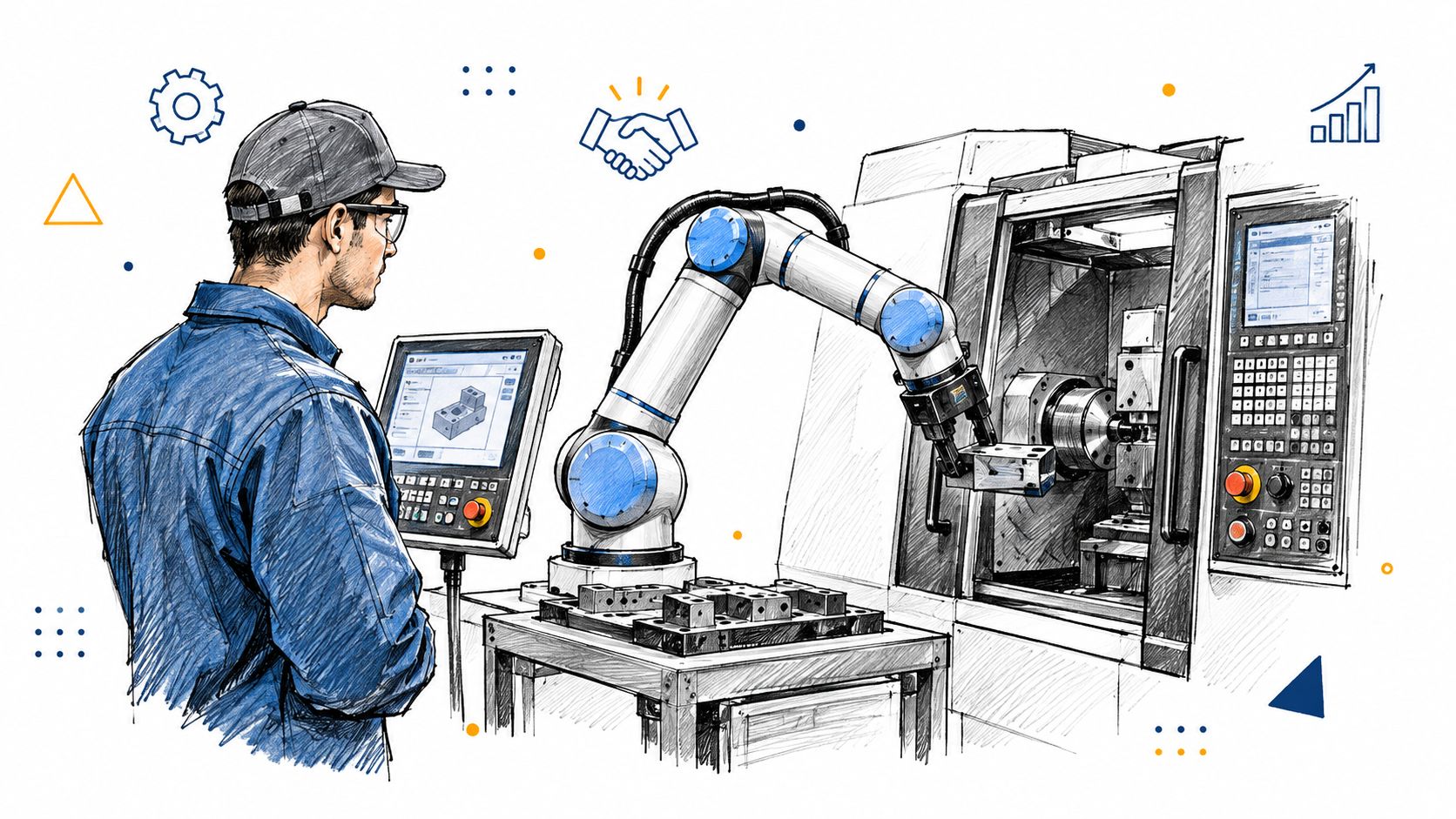
6. Cobot Machine Tending with Operator Oversight
A collaborative robot can load and unload a CNC machine while the operator prepares the next job or handles inspection. The operator's checkpoint starts during setup: verify the part orientation, gripper contact, fixture seating, and machine door sequence. After the first part, check that the robot repeats those moves without shifting the workpiece or interfering with tools and fixtures.
A job shop running repeat automotive brackets on a lathe could use a cobot to tend the machine during a long cycle. The operator checks the first part and the handoff between the robot and chuck, then monitors the cell from its control screen. If the job needs a fixture change, a tool change, or an inspection decision, those tasks remain with the operator.
Start with a part family that behaves
Pick one repeatable part family and one machine. Standardize the blank orientation and gripping points, and make sure the robot can place each part consistently. Check gripper and fixture wear at shift change; a worn contact surface can make a reliable routine unreliable.
Safety features that stop a cobot when a person approaches are useful, but they don't replace clear cell rules. Decide when an operator must pause the robot, such as after a misload, a dropped part, a tool alarm, or a change in the process. Train the operator to recover the cell safely instead of assuming the robot will correct every exception.
The payoff is more machine attention for a small team, but the trade-off is setup and monitoring work. A cobot doesn't make a poor fixture repeatable or a variable part family predictable. Keep the first run attended, inspect the part, and only extend unattended operation once the loading routine and recovery steps are clear.
7. Finishing Specification Check and Coating Inspection with Human Sign-Off
Finishing callouts often look short on a drawing but carry important process details. Software can identify a finish term and suggest a process and cost. Before quoting, a person needs to confirm that the callout is clear, the chosen finisher can meet it, and any masking or thickness requirements are included.
Say an enclosure drawing calls for Type II anodize and shows threaded holes. The estimator confirms the finish requirement with the finisher and asks whether those holes need masking before pricing the outside process. If the drawing also has a color or appearance requirement, clarify it before the parts leave the shop. An assumption made at quote time can become a rework problem after machining is complete.
Inspect the finished parts before release
Write masking, rack location, and other handling notes into the traveler so the finisher and inspector are working from the same instructions. On return, an inspector checks the specified appearance and uses the appropriate gauge or test method for the job. A visual check may catch obvious defects, but it doesn't establish coating thickness or adhesion when the order calls for those checks.
Software can help organize inspection results, but a person should compare the actual parts with the customer's requirements and decide whether a defect is acceptable. Keep a simple visual standard with sample parts where appearance matters, and maintain a list of approved finishers with their capabilities and lead times. For a broader look at how manufacturers deploy AI inspection, the key distinction is that automated detection can support inspection without taking final disposition away from the responsible person.
For details on coordinating outside processes, see finishing services and outside processes. A clear checkpoint before quoting and another before shipment can prevent expensive rework and keep finish requirements from getting lost between departments.
How Each Human Checkpoint Works Across Shop Workflows
Item | Main Human Checkpoint | Key Benefit | Main Limitation |
|---|---|---|---|
Estimator-in-the-Loop AI Quoting from CAD and Drawings | Estimator reviews assumptions and approves the quote | Faster quoting with estimator control over pricing | Draft quality depends on shop cost data; unusual parts need manual review |
Material Selection and Certification Review | Qualified person approves substitutions and verifies certificates | Reduces material errors and supports traceability | Supplier data changes often; substitutions may require customer approval |
Design-for-Manufacturability (DFM) Review for Machined Parts | Machinist or engineer evaluates flags and suggests design changes | Lowers cost and catches production issues early | Requires experienced judgment; customer changes can delay quoting |
Operator-Approved Adaptive Machining with In-Process Probing | Operator reviews measurements and approves significant adjustments | Detects tool wear and part drift early | Probing adds cycle time and requires regular calibration |
Programmer-Verified Automated Nesting and Bend Sequencing | Programmer checks orientation, grain direction, tabs, and bend clearances | Improves material yield and prevents programming issues | Automated results may miss requirements and need skilled validation |
Cobot Machine Tending with Operator Oversight | Operator sets up the cell, checks parts, and monitors operation | Extends machine run time and reduces repetitive handling | Setup needs skilled staff; complex parts are harder to automate |
Finishing Specification Check and Coating Inspection with Human Sign-Off | Person confirms finish requirements and inspects coatings before release | Prevents finish-related rework and creates quality records | Outside finisher delays and subjective visual inspection |
Start With One Checkpoint and Build From There
You don't need to automate every part of the shop at once. Choose the workflow where an unchecked mistake costs you most, whether that's quote accuracy, material substitutions, a machining assumption, or an unclear finish callout. Assign a named person to review it, and give them the information and authority to correct the system or stop the job.
For the first month, record what that person catches. Note whether the problem came from a missing drawing detail, an outdated revision, a wrong material match, an unrealistic setup assumption, or a process instruction that didn't reach production. Keep the record simple enough that employees will use it. A short reason code and a note about the correction are more useful than a complicated form nobody finishes.
Then look for patterns. If estimators repeatedly adjust cycle times for one family of parts, update the estimating assumptions. If operators keep rejecting the same probe correction, review the limits or the measurement method. If finishing quotes often miss masking, change the intake questions so that the requirement is captured before the job is priced.
Don't treat a high approval rate as proof that a workflow is working. People can become accustomed to accepting recommendations, especially when the system presents them confidently or the shop is rushing to meet a deadline. Make reviewers check the evidence behind a recommendation, and give them a clear way to override it. Save the original suggestion and the person's correction so you can tell whether the software or the process needs adjustment.
As the workflow becomes dependable, reduce unnecessary review where the risk is low and keep direct approval for unusual or high-consequence decisions. For example, routine file sorting may not need an estimator's approval, while a material substitution or a critical drawing interpretation still does. That's how a shop gets speed without turning human sign-off into a meaningless last click.
Choose one checkpoint this week, name the person responsible, and record what they catch. Use those corrections to improve the process before you add another automated step.
Uptool offers AI-assisted quoting that reads RFQs, CAD files, drawings, and BOMs, then gives estimators a chance to review and adjust the estimate before sending it. If you want to see how that workflow could fit your shop, visit Uptool.
