RFQs arrive in three inboxes. A customer's drawing sits in an email thread, the material grade is buried in a PDF, and the finishing requirement appears in a note on page two. Meanwhile, an estimator is trying to price CNC machining or sheet metal fabrication before purchasing, scheduling, and production can act on the job. That's the daily reality behind the search for the best manufacturing software for small business.
The right choice depends on the constraint you need to remove. This comparison weighs quoting and estimating, materials and finishing workflows, inventory, scheduling, shop-floor coordination, implementation effort, pricing visibility, and fit for your size and compliance needs. For broader small-business application context, see this 2026 small business apps overview.
Quick comparison
Uptool: RFQ intake and AI-assisted quoting. Best for CNC and fabrication shops where response time is the bottleneck. Pricing requires a sales conversation. The trade-off is estimator oversight remains necessary for unusual work.
ProShop ERP: ERP, MES, and QMS for precision and regulated manufacturing. Best for traceability and compliance. Pricing isn't public. It may be more system than a very small shop needs.
JobBOSS²: Broad job-shop ERP. Best for connecting quoting, purchasing, inventory, scheduling, and quality. Pricing is quote-based. Implementation can feel heavy.
Katana MRP: Visual cloud MRP. Best for accessible planning and inventory visibility. Plan terms can change, and it isn't built around deep regulated-shop controls.
MRPeasy: Lightweight MRP and ERP. Best for shops moving beyond spreadsheets. Published pricing helps evaluation, but it lacks the depth of a larger ERP.
Odoo Manufacturing: Modular ERP. Best for businesses that want manufacturing, accounting, CRM, and other functions in one ecosystem. Configuration takes real effort.
Paperless Parts: Quoting and estimating. Best for CAD-driven RFQ analysis. It complements an ERP rather than replacing one.
Table of Contents
1. Uptool
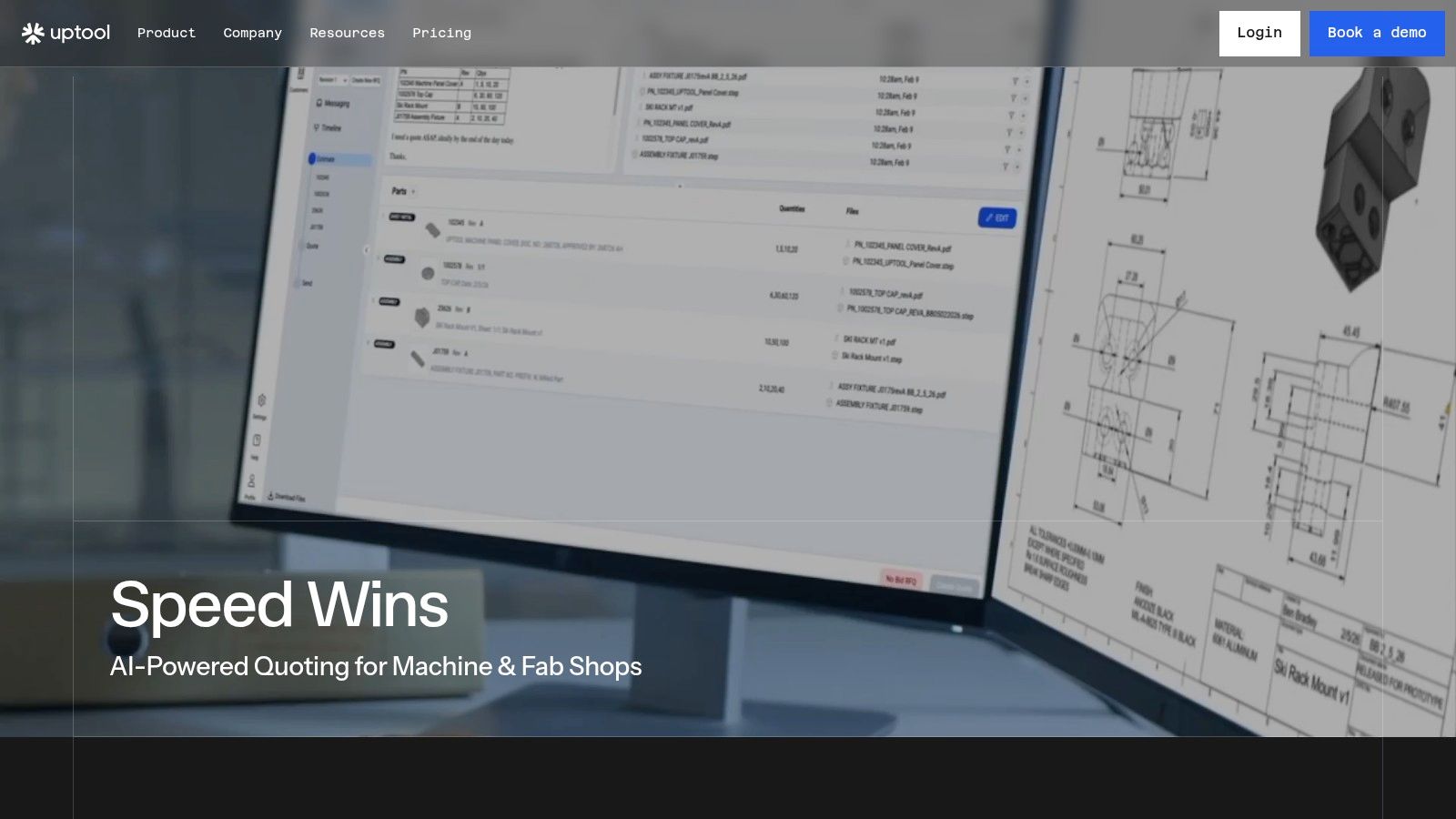
A shop can have enough machining and fabrication capacity yet lose the job before production starts. RFQs arrive through several inboxes, CAD files change, material requests sit in email threads, and finishing instructions get separated from the drawing. Uptool addresses that front-office bottleneck as an AI-powered quoting platform for CNC machine and fabrication shops.
The platform connects to email inboxes, identifies and routes RFQs, and brings related conversations into a Command Center. It extracts information from 3D CAD, 2D drawings, and BOMs, then combines those inputs with material and finishing databases and shop-specific operation calculators. That workflow can account for cutting, setups, drilling, tapping, bending, deburring, coating, anodizing, and outside processing, rather than treating material cost as the estimate.
Uptool states that it can automate approximately 90% of the RFQ-to-quote workflow, with per-part estimating moving from hours to minutes in examples such as 20 minutes to 2 minutes per part. Those figures describe the product's stated capabilities, not a guaranteed result. Your outcome will depend on the quality of your calculators, pricing data, operation rules, and estimator review.
Where Uptool earns its place
The practical value is traceable quoting. Estimators can review AI-generated inputs, correct assumptions, retain revision history, and produce organized quotes while keeping the source context attached. Digital travelers carry structured job information into shop coordination, and QuickBooks integration connects quoting with accounting.
That focus separates Uptool from a broader MRP or ERP platform. It is aimed at receiving an RFQ and building a defensible estimate quickly, not at replacing every system used for scheduling, purchasing, inventory, quality, and production control. A 2026 SMB manufacturing report from Lasso Supply Chain found that 60% of respondents still relied primarily on manual processes without digital workflows, only 8% of companies with fewer than 50 employees had moved beyond basic digital adoption, and 76% of firms making digital investments met or exceeded ROI expectations. That manufacturing digitization research supports starting with the workflow causing the most delay instead of forcing an immediate full-ERP replacement.
Practical rule: If slow quotes cost your shop work, fix quoting before buying software for a downstream problem.
The main drawback is pricing transparency. Uptool uses a month-to-month subscription, offers trials for qualifying U.S. shops, and includes ITAR-aware considerations, but detailed pricing requires contacting sales. AI does not replace estimator judgment. Complex tolerances, unusual fixturing, ambiguous drawings, and unfamiliar finishing paths still require human review.
2. ProShop ERP
ProShop ERP is designed for precision machine shops and regulated manufacturers that need one paperless system across ERP, MES, and QMS work. It's a particularly strong candidate for CNC shops serving aerospace, defense, or other customers that demand detailed process and part traceability.
The system combines quoting and operational records with work orders, scheduling, purchasing, inventory, documentation, tool and fixture management, and shop-floor tracking. Its native quality management capabilities support ISO, AS9100, ITAR, and CMMC-related workflows, with audit preparation and document control built into the operating model rather than bolted on through separate tools.
That depth changes the buying question. You aren't just asking whether ProShop can schedule a job. You're asking whether the system can show what happened to the material, which process was followed, what inspection occurred, and how a revision moved through the shop. For a regulated manufacturer, that evidence can matter as much as throughput.

The trade-off for smaller teams
ProShop is less compelling if your main problem is getting RFQs priced quickly or replacing a few disconnected spreadsheets. Its broad workflow can require more onboarding, process definition, and user discipline than a small owner-operated shop wants to absorb. Pricing isn't published, and anecdotal user feedback has been mixed on onboarding and customer support, so references from shops with similar compliance requirements are important.
The platform makes more sense when quality records, audit readiness, and traceability are already business requirements. It can reduce the number of separate systems your team must reconcile, but that benefit comes only if operators, estimators, purchasing staff, and quality personnel consistently use the common records.
For a practical view of how a precision shop can connect its systems, review this machine shop software stack guide. Use ProShop when the shop needs operational control and quality evidence in the same environment, not a more modern screen for inventory.
3. JobBOSS²
JobBOSS² from ECI takes the traditional job-shop ERP route. It connects quoting, job costing, scheduling, purchasing, inventory, quality, and reporting in a single platform, which makes it a natural candidate for make-to-order shops handling varied work rather than repetitive, high-volume production.
Its appeal is breadth. An estimator can create a quote, purchasing can see material requirements, scheduling can plan the job, and accounting can work from shared job-cost information. The system also offers optional AI BOM creation from uploaded documents, plus CRM and MES add-ons for companies that need more customer or shop-floor functionality.
Good fit for a growing job shop
JobBOSS² is useful when the problem isn't one isolated workflow. If your shop has separate spreadsheets for material purchasing, job status, quote history, and quality records, a broader platform can provide a common operating record. It also offers multiple deployment choices, including multi-tenant SaaS, private cloud, and on-premises options. That flexibility can matter when customers impose data, hosting, or security requirements.
The downside is proportionate to the scope. A very small team that only needs faster estimating may find the implementation burden too high. Users must define routings, costing rules, inventory practices, and approval processes before the system can produce reliable results. Pricing is quote-based, so compare the complete package, including modules, implementation, support, and integrations, rather than the initial license discussion.
A broad ERP is valuable only when the shop is ready to maintain the data that makes its breadth useful.
JobBOSS² is a sensible choice for an operations leader who wants one job-shop backbone. It isn't the obvious first purchase for an owner whose immediate pain is RFQs sitting unanswered in email.
4. Katana MRP
Katana MRP is the most approachable option here for a small manufacturer that wants live inventory and production visibility without starting with a large ERP implementation. Its visual interface is built around planning, material requirements, operations, and the comparison between planned and actual consumption.
That makes it a useful bridge from spreadsheets. The system supports demand-driven planning, inventory visibility, margin tracking, outsourced or contract manufacturing workflows, and integrations with accounting and ecommerce platforms. For a shop making standard products or repeatable assemblies, those capabilities can bring purchasing and production onto a shared schedule without forcing every user into a heavily customized enterprise environment.
Katana's fit is weaker for a custom CNC or sheet metal job shop where every RFQ may involve a different drawing, tolerance, setup plan, outside finisher, and revision history. It can help once work is defined, but it isn't primarily a CAD-aware quoting system. Your estimator may still need a separate process to turn an incoming drawing into a reliable cost.
Watch the commercial model
Katana's pricing and subscription plans have changed over time, and some legacy users have reported forced plan moves. Confirm the current plan, included features, user rules, integrations, and add-ons before signing. A clean interface doesn't protect you from a subscription structure that becomes expensive as your workflow expands.
The 2024 Capterra manufacturing software adoption survey found that more than half of 481 surveyed manufacturing businesses planned to increase technology spending by at least 10%. It also found that 47% considered identifying the right software the hardest part of new-tech investment, while 48% regretted at least one software purchase made in the prior 12 to 18 months. Those findings make plan fit and implementation risk more important than a polished demo.
Choose Katana when inventory, planning, and ease of adoption lead the decision. Don't choose it expecting deep quality or compliance control for a regulated precision shop.
5. MRPeasy
MRPeasy sits between spreadsheets and a full job-shop ERP. It provides BOMs, routings, material requirements planning, finite scheduling, capacity planning, purchasing, stock costing, sales, production, and inventory in a cloud system aimed at small and midsized manufacturers.
The strength is practical coverage. A shop can define what a part consumes, plan purchases, schedule production, and compare expected work with actual material use. That gives owners better visibility into whether a job is profitable and whether material availability will delay production. It also gives purchasing and production a shared place to work instead of relying on separate files.
MRPeasy is a better operational fit for repeatable products and structured manufacturing orders than for unstructured RFQs. If your work starts with drawings arriving from several inboxes, you'll likely need a dedicated quoting layer or a disciplined manual intake process before the job enters the MRP workflow.
Why it works for spreadsheet replacement
Published per-user pricing and a free trial make MRPeasy easier to evaluate than quote-only systems. It also has extensive documentation and a feature set that avoids the cost and complexity of a large ERP. The compromise is depth. It isn't intended to handle every multi-site, highly customized, or heavily regulated requirement, and its interface and reporting are functional rather than premium.
Accounting integration deserves careful testing. Review this guide to manufacturing software with QuickBooks, then test how quotes, purchase orders, inventory values, labor, and completed jobs move between systems. Don't assume that an integration advertised as available will match your chart of accounts or job-costing method without configuration.
6. Odoo Manufacturing
Odoo Manufacturing makes sense for a business that wants manufacturing to share a platform with accounting, CRM, sales, inventory, maintenance, quality, and product lifecycle management. Its manufacturing app supports BOMs, work orders, routings, planning, scheduling, and inventory-linked maintenance, while the wider ecosystem lets a company consolidate more business functions over time.
The modular structure is the attraction. You can start with manufacturing or inventory and add other applications as the business grows. Odoo also offers Odoo Online, Odoo.sh, and self-hosted Community or Enterprise deployment paths, which gives a business more control over hosting and customization than many narrowly packaged cloud systems.
That flexibility comes with a price in implementation effort. A CNC or fabrication shop has to configure operations, work centers, subcontracting, quality steps, document control, costing, and approval rules in a way that matches actual work. A partner who understands manufacturing is often more valuable than a generic software implementer. For additional perspective on ERP support for SMEs, focus on the implementation model, not just the list of available apps.
Where Odoo can go wrong
Odoo isn't the best choice when the owner wants a fast, narrowly scoped quoting fix. It can become a long configuration project if the team tries to redesign accounting, CRM, inventory, manufacturing, and reporting at the same time. Pricing and terms have also changed, so confirm the edition, hosting arrangement, user counts, implementation services, and support costs.
It becomes attractive when the business has outgrown disconnected SaaS tools and wants one expandable platform. It becomes risky when nobody owns the master data, process decisions, or ongoing configuration. Start with a defined manufacturing workflow and a small set of representative jobs before expanding the system.
7. Paperless Parts
Paperless Parts is a quoting and estimating specialist for job shops, not a replacement for a full ERP. It centralizes RFQs, analyzes CAD models and drawings, detects geometric features, flags manufacturability concerns, and applies configurable costing and pricing logic.
For CNC machining and sheet metal work, that front-end specialization is useful. A quote may need to account for material, geometry, hole operations, bend decisions, quantity breaks, lead times, and finishing. Sheet metal guides describe cutting accuracy of plus or minus 0.005 inches or better, and note that using the same bend radius across a part can reduce machine setups and speed production in some designs. Those details show why a quoting workflow must capture manufacturing complexity, not just multiply material weight by a shop rate. See the sheet metal fabrication design guidance for the underlying design considerations.
The platform can apply custom pricing logic, quantity breaks, lead-time options, RFQ workflow rules, dashboards, and security controls. That makes it a strong complement to an ERP when the front office is slower than the shop floor.
What it won't replace
Paperless Parts doesn't solve every inventory, purchasing, scheduling, quality, or accounting problem. You still need a clear handoff into the operational system, and the benefit depends on the quality of your templates, estimating rules, and part classifications. Pricing isn't publicly listed, so ask how customization, implementation, users, integrations, and support affect the total cost.
Its CAD analysis is especially valuable for shops that quote many varied parts. A small manufacturer should test real files, including drawings with revisions, material callouts, tolerances, finishing notes, and incomplete information. The software should help the estimator find uncertainty rather than hide it behind an automatically generated number.
Read this manufacturing quoting software guide when comparing Paperless Parts with other front-end tools. Choose it when RFQ speed and estimating consistency are the priority, then confirm how the approved quote becomes a job, traveler, purchase requirement, and accounting record.
Top 7 Manufacturing Software for Small Business, Comparison
Product | Implementation complexity 🔄 | Resource requirements 💡 | Expected outcomes 📊 | Ideal use cases | Key advantages ⭐⚡ |
|---|---|---|---|---|---|
Uptool | Low–Medium; one-hour OOTB setup but AI workflows need estimator oversight. 🔄 | Minimal IT; estimator review and subscription; quick onboarding. 💡 | ≈90% RFQ→Quote automation; per-part estimating drops (example 20→2 min); faster responses. 📊 | Small–mid job shops needing fast, CAD/BOM-driven quoting. | ⭐ High automation; ⚡ rapid quoting; traceability; QuickBooks integration. |
ProShop ERP | High; full ERP/MES/QMS deployment with configuration for compliance. 🔄 | Dedicated admin/IT and quality staff; longer onboarding. 💡 | Deep part/process traceability and audit readiness for regulated work. 📊 | Precision shops requiring ISO/AS9100, ITAR, CMMC compliance. | ⭐ Embedded QMS and audit tooling; strong traceability. |
JobBOSS² (ECI) | Medium–High; modular ERP with optional add-ons and multiple hosting models. 🔄 | IT/admin for deployment; training for users; flexible hosting choices. 💡 | Unified quoting→scheduling→costing workflows; scalable with modules. 📊 | Short-run, make-to-order job shops needing broad ERP功能. | ⭐ Purpose-built job-shop features; modular extensibility. |
Katana MRP | Low; cloud MRP designed for fast adoption and simple setup. 🔄 | Light IT; integrates with accounting and ecommerce platforms. 💡 | Improved planning, live inventory visibility, faster operational clarity. 📊 | Small manufacturers bridging spreadsheets to ERP; contract/outsource Mfg. | ⚡ Quick adoption; intuitive UI; broad integrations. ⭐ |
MRPeasy | Low–Medium; SMB-focused MRP with straightforward configuration. 🔄 | Modest IT/admin; per-user pricing and available documentation. 💡 | Core MRP/ERP capabilities delivered affordably; better scheduling and stock control. 📊 | SMBs needing affordable MRP without heavy customization. | ⭐ Clear pricing and value; free trial; practical SMB feature set. |
Odoo Manufacturing | Medium–High; modular platform that often requires partner support for manufacturing. 🔄 | IT support or certified partner recommended; hosting choice impacts ops. 💡 | Scalable ERP with consolidated apps for CRM, accounting, PLM and MRP. 📊 | Firms that want an expandable ERP ecosystem and to scale functionality over time. | ⭐ Large app ecosystem; flexible hosting; start small, scale to full ERP. |
Paperless Parts | Medium; quoting-focused setup with CAD templating and costing rules. 🔄 | Estimators/CAD-capable staff; integration to ERP optional for downstream flow. 💡 | Faster, more consistent quotes with manufacturability alerts and pricing logic. 📊 | Job shops needing advanced CAD-based quoting and RFQ centralization. | ⚡ Strong CAD analysis; purpose-built RFQ workflows; improves win rates. ⭐ |
Match the Platform to Your Next Bottleneck
There isn't one universal winner among the best manufacturing software options for small business. A quoting platform, an MRP, a job-shop ERP, and a modular ERP solve different problems. Buying the broadest system won't help if your estimator still spends days finding the latest drawing, and buying a quoting tool won't fix material shortages or invisible work-in-progress.
Start with the constraint that costs the shop the most. If RFQs arrive through multiple inboxes and estimating delays cause lost opportunities, choose a quoting-focused platform such as Uptool or Paperless Parts. Uptool is particularly relevant when you want email aggregation, CAD and drawing extraction, revision history, material and finishing calculators, digital travelers, and a QuickBooks handoff. Paperless Parts is compelling when CAD-driven manufacturability analysis and configurable quote logic are central.
Choose a lightweight MRP such as MRPeasy or Katana when materials, production planning, and inventory visibility are the priority. Katana favors visual adoption and broad integrations. MRPeasy offers a more traditional MRP foundation with BOMs, routings, scheduling, purchasing, and stock costing. Neither should be treated as a complete answer to complex RFQ intake unless you validate that workflow directly.
A broader job-shop ERP is the better direction when scheduling, purchasing, inventory, quality, job costing, and reporting must share one system. JobBOSS² offers broad job-shop coverage, while ProShop ERP is the stronger candidate when precision traceability and regulated quality processes drive the decision. Select Odoo when the business wants manufacturing connected to a wider ERP ecosystem and has the patience, ownership, and partner support required for configuration.
Before signing, document the current RFQ-to-production workflow. Follow one representative CNC job from email and drawing review through material purchasing, machining, finishing, inspection, shipment, and accounting. Then test a sheet metal job with bends and finishing, a material-driven job, and a revision-heavy estimate. Use those tests to expose missing fields, weak integrations, and assumptions that a demo won't show.
Confirm data migration, deployment, security, support, integration limits, user rules, and the complete pricing model. Involve estimators, purchasing, production, quality, and accounting before the contract is final. The best system is the one those people can maintain accurately every day.
Uptool helps CNC and fabrication shops organize RFQs from email, extract information from CAD files, drawings, and BOMs, and build traceable estimates that include materials, machining, sheet metal work, and finishing. Visit Uptool to see whether a focused quoting layer can remove the delay between customer request and production-ready job.