That RFQ lands in your inbox at 7:12 a.m. A buyer wants a quote on a machined bracket, the drawing looks ordinary, and the email thread says the part is for a defense program. Your estimator opens the PDF, your programmer wants the CAD, and your shop floor is already thinking about material, finish, and lead time. If that file is controlled, the risk starts before the first setup sheet is printed.
That's where ITAR compliance software stops being a legal concept and becomes a shop tool. It gives you a way to sort controlled drawings from normal jobs, keep the right people in the file, and leave a trail that shows who touched what. For CNC machine shops and sheet metal shops, that's less about paperwork and more about keeping quoting, engineering, and production from drifting into the wrong lane.
A good way to think about it is a locked job folder. A quote can move fast, but the file inside still needs the right lock, the right key, and a log of every hand that reached for it. Why small shops need stronger quoting control is a useful reminder that speed without traceability usually turns into rework, delays, or worse.

Table of Contents
What ITAR Means for CNC and Fabrication Shops
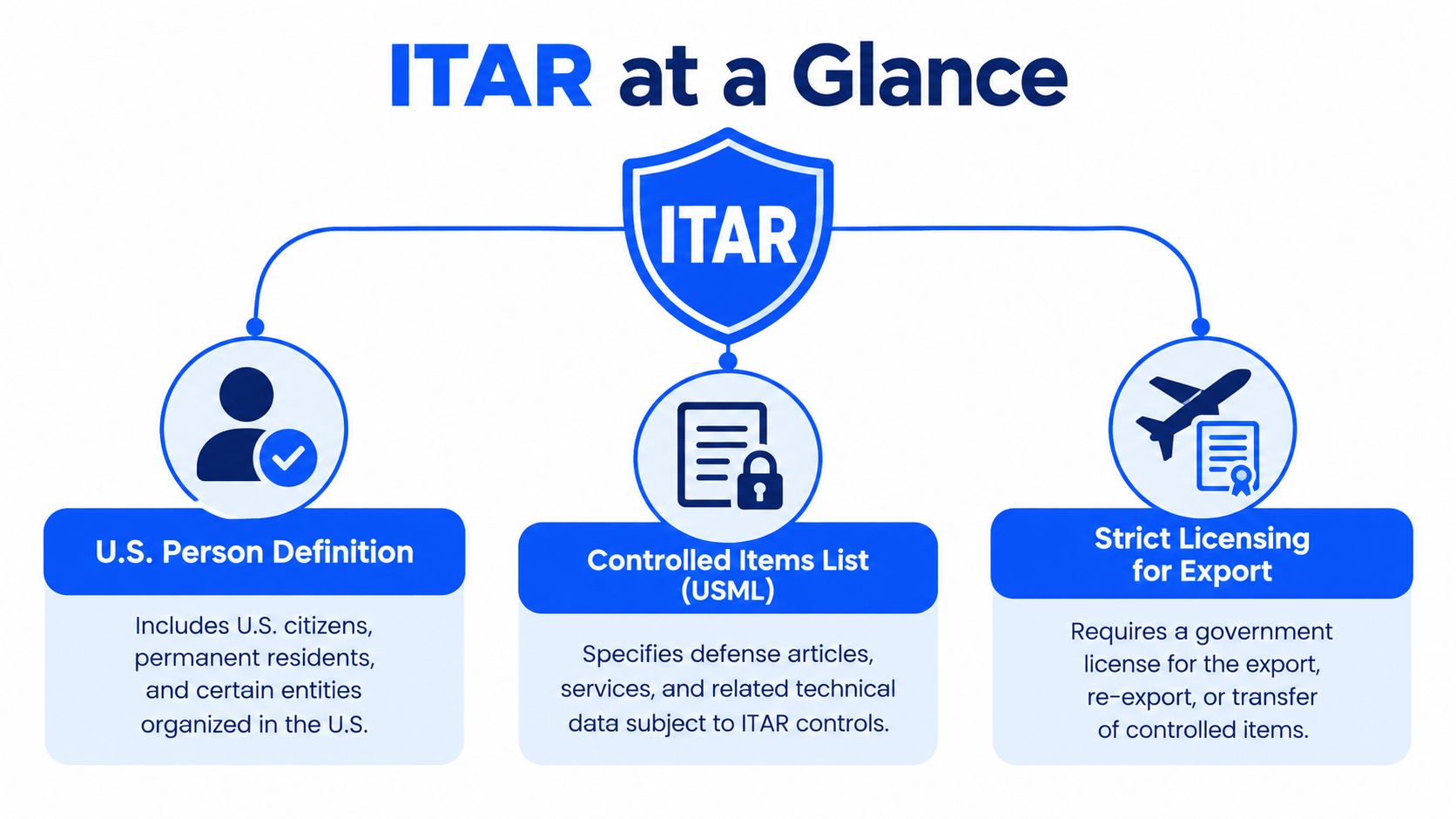
A defense job can look ordinary at first. The drawing may sit beside commercial work, the quote may move through your normal process, and the part may still be covered by ITAR if it involves defense articles, defense services, or related technical data on the U.S. Munitions List. In that case, your shop is in the compliance lane and registration with the Directorate of Defense Trade Controls (DDTC) comes with the territory Certivo's ITAR compliance framework.
For a machine shop, the tricky part is that technical data reaches beyond a drawing on a screen. A blueprint, shop traveler, CAD file, CNC program, photo, plan, instruction sheet, or process document can all become controlled if they support a defense article MSBDC's technical data definition.pdf). A folder that looked routine at quoting can turn into a controlled job packet once the part is tied to a regulated program.
What actually counts in a shop
Owners often focus on the finished part. The file trail matters just as much. If your estimator reviews a model, your programmer edits toolpaths, or your shipping team sees documents tied to a controlled job, those steps can all sit inside the ITAR chain.
Practical rule: if the file helps define how a defense-related part gets designed, made, assembled, tested, repaired, or modified, treat it like controlled technical data until you've classified it otherwise.
That line matters because some information stays outside the control box. General scientific principles taught in schools and material already in the public domain are excluded, as summarized in MSBDC's technical data definition. Software helps your team sort the ordinary files from the restricted ones, instead of asking estimators and programmers to judge from memory.
If you work with aerospace or defense buyers, the pressure shows up in day-to-day work. A shop doing rapid prototyping for defense contractors still has to check whether the data path is clean before anyone opens a drawing. The same rule applies to a CNC mill, a laser shop, a press brake line, or a finishing department.
Core Capabilities Every ITAR Compliance Software Must Have
A CNC shop can lose control of ITAR data long before a part ships. A quote file gets opened on the wrong laptop, a programmer pulls a revision into CAM, or a traveler with controlled notes lands in a shared folder. Good ITAR compliance software closes those gaps by tying access to the person, the file, and the moment of access.
The first feature to look for is identity-based access control. Controlled technical data should only open for verified U.S. persons, and the check should happen when the file is opened, not only when it is shared. In shop terms, that means a foreman, estimator, or programmer cannot forward a folder and assume the warning label did the job Madgeek's access-control guidance.
Access must be tied to the person, not the folder
A file share with a password is not enough if the person behind the account is not verified. Good ITAR compliance software binds each account to a citizenship or status field, then checks that status at access time. That matters when the same job file moves from quoting to engineering to the floor. Madgeek's access-control guidance
Encryption is the next requirement. For unclassified ITAR-controlled technical data, the data should be encrypted from origin to destination using FIPS-validated cryptographic modules, with AES-256 at rest and TLS 1.2+ in transit Kiteworks' ITAR cybersecurity guidance. If the provider can read the plaintext or hold the keys, the compliance boundary is broken.
If the software vendor can decrypt your controlled drawing, your shop has not really kept it inside the wall.
Audit trails matter just as much as locks. A serious system logs both successful and denied access, with timestamp, user identity, and device, so you can reconstruct an event later. That helps when an estimator asks who viewed a print, or when a supervisor needs to show that a revision moved through the right hands Madgeek's access-control guidance.
Use this checklist when you compare platforms
The market is moving toward automated classification, screening, and workflow controls instead of spreadsheet-based handling, which is why export-compliance software is growing as a category MarketIntelO's export-compliance software report. For a shop buyer, that means comparing systems on control quality, not just interface polish.
Evaluation Criteria | What to Verify | Why It Matters for Your Shop |
|---|---|---|
Verified U.S. person access | Each account is tied to status and checked at opening | Keeps controlled drawings from reaching the wrong hands |
Encryption and key control | Data is encrypted end to end, and the vendor cannot decrypt it | Protects CAD files, travelers, and revision packets |
Audit trail depth | Logs show views, downloads, denials, user identity, and device | Lets you prove who saw what and when |
Retention policy | Export-related records are preserved for at least five years | Supports audits and incident reconstruction |
If you are comparing compliance platforms and broader process tools, the compliance automation software guide helps you ask better questions about controls, logging, and evidence handling.
Hidden Risks in AI and Cloud Workflows Most Shops Overlook
A lot of ITAR software pitches stop at storage. That misses how a modern quoting desk works. Recent guidance points out that risk can extend into model hosting, API gateways, vector databases, temporary compute, and logging, so the full data path matters, not just the folder where a file lands Concentric's ITAR and AI guidance.
The file can leak without ever being “shared”
A shop may believe a drawing is safe because it sits in a cloud drive with permissions. AI tools and automation layers can still copy, parse, or log the same data in places the owner never intended. If an agent reads a controlled drawing to summarize a quote, that process needs a formal deemed-export analysis first.
That is why buyers need to ask harder questions than “Is it cloud-based?” Ask who in support can see the file, whether logs capture extracted text, and whether temporary compute or downstream indexes retain controlled data. The issue is not only storage, it is every touchpoint where data can be copied, cached, or exposed.
Shop-floor reality: if a quoting assistant can read a controlled print, the print has already moved beyond simple storage.
For machine shops, the risk shows up fast in quoting. CAD analysis, BOM parsing, and automated estimate generation save time, but they can also create hidden copies inside workflows you do not see. The AI software risks many machine shops miss deserve the same attention as the drawing vault itself.
What to challenge during vendor review
Ask where support access lives, where logs are stored, and whether downstream systems can be purged when a job is closed. Ask the same question about cloud backups and temporary processing. If the vendor cannot explain the data path clearly, you do not have a compliance system, you have a promise.
For shops that move quickly between quoting, nesting, and production handoff, the danger is silent sprawl. A model, a cache, or an API log can become a second copy of controlled technical data. The safest tools are the ones that can prove they do not let that happen.
How to Choose the Right ITAR Compliance Software Vendor
A shop owner usually feels the pressure first in the daily handoffs. A quote comes in by email, a drawing gets opened, a traveler is printed, and someone needs to know exactly who can see each file. The right vendor should make that path easier to control, not harder to trace.
Vendor comparison checklist
Evaluation Criteria | What to Verify | Why It Matters for Your Shop |
|---|---|---|
Data residency | Know exactly where controlled data is stored | Helps you avoid surprise exposure in the wrong environment |
Key ownership | Confirm who holds and controls encryption keys | If the vendor can decrypt files, the boundary is weak |
Admin and support access | Verify that admin support is limited to verified U.S. persons | Protects technical data from backdoor access |
Download logging | Check that logs capture downloads, not just views | Downloads are where off-system exposure often starts |
Post-download revocation | See whether access can be revoked after a file is downloaded | Important when a job moves from estimate to floor packet |
Ongoing controls | Ask how training, subcontractors, and remote access are managed | ITAR compliance is continuous, not a one-time setup |
A recent buyer guide explains that ITAR compliance goes beyond registration and now includes ongoing controls, recordkeeping, annual training, and tight management of remote access and subcontractors Theodosian's buyer guide. For a small shop, that means one loose partner or one weak support process can undo careful internal rules.
The software also has to fit the shop floor. A system built for materials, CNC machining, sheet metal fabrication, and finishing should handle revisions, travelers, and handoffs without forcing your team into side spreadsheets. If you serve government-related work and want a closer look at process tooling, govcon software can help you compare regulated workflows.
What good vendor due diligence sounds like
Clear answers matter more than polished sales language. You want to hear, “Yes, we log denied access.” You want to hear where support staff are located, how audit records are retained, and whether controlled files can be removed from backup or temporary processing when a job closes. If the vendor cannot explain the full path of a print from upload to download, the control story is thin.
AI and cloud tools deserve the same scrutiny. A quoting assistant that reads a controlled drawing, a cache that stores extracted text, or an index that keeps job data after the estimate is finished can create a second copy of technical data outside the file cabinet you expected. The safest vendors can show where that data goes, who can touch it, and how they limit hidden copies across support, cloud storage, and automated workflows.
Connecting ITAR Software to Quoting CAD and ERP Systems
A defense job often starts in the inbox, but it should not stay there. In a small CNC or fab shop, the cleaner setup is a quote path that pulls in the RFQ, identifies the drawing revision, checks the CAD file or print, and carries that same job record into estimating, ERP, and the traveler. That way, the shop is not rebuilding the job by hand at every handoff.
One job file, one traceable path
Shops rarely run on one system. Estimating may sit in one tool, accounting in another, and production may live on digital travelers or printed packets. The integration problem is not just “can the software store files.” It is whether the system can keep the same job identity while moving through quoting, CAD review, and ERP entry.
That is where integration mechanics matter. File-type handling needs to match the way your shop works, which means the platform should read common quote inputs without forcing the team into side conversions. ERP field mapping matters too, because part number, revision, material, finish, lead time, and customer record all have to land in the right place or the quote and the job packet drift apart.
A platform such as Uptool is one example of software that centralizes RFQs, parses email, CAD, drawings, and BOMs, and syncs with QuickBooks for accounting alignment while generating digital travelers for downstream work. For a broader view of how these tools fit together, see how the machine shop software stack connects quoting, CAD, and ERP. The practical question is whether the software keeps the same controlled job record intact from intake to release, without making the team retype the same data in three places.
The shop workflow has to stay connected
A small shop can usually spot a weak integration by the amount of rework it creates. If the estimator exports a file, the programmer rechecks it, and accounting rekeys the job later, the system is doing translation work instead of shop work.
A better setup keeps each step tied to the same record:
RFQ intake: the estimator receives the drawing and identifies the revision.
Engineering review: the programmer opens the CAD or print in the right format.
Quote creation: material, finish, and labor logic flow into the estimate.
Job release: the traveler and ERP entry point to the same job.
Accounting sync: financial data stays aligned without random spreadsheet copies.
The goal is simple. The quote, the CAD file, the traveler, and the ERP record should behave like matched pages in the same job packet, not separate versions that have to be reconciled later.
Practical Steps to Implement and Stay Compliant Every Day
Start with the job record, then the controls around it. A small CNC or fab shop needs each user tied to a verified citizenship or status field, role-based access turned on, encryption and logs active, and retention set for export-related records. Then test the setup with a real shop path, such as a controlled drawing moving from quoting to programming to production.
Daily habits that keep the system honest
Train every touched department: engineering, production, shipping, IT, and facilities all need to know what controlled data looks like and where it can travel Cofactr's practical ITAR guide.
Track access events: keep logs of views, denials, and downloads so you can reconstruct a file's path later.
Review remote access and subcontractors: outside help should not get a shortcut around your controls Theodosian's buyer guide.
Renew registration on time: DDTC registration runs through Form DS-2032 in the DECCS portal, and renewals are typically submitted 30 to 60 days before expiration Lenzo's manufacturer guide.
For a small shop, that makes ITAR paperwork a recurring operating task, not a one-time filing. The same discipline should show up in quoting, CAD handling, travelers, and ERP, so the controlled job stays readable from intake to release. Hidden AI and cloud paths need the same review, because a file can leave the shop through an assistant tool, a sync folder, or a shared workspace even when the main system looks tight.
The cleanest defense work goes to shops that can prove control before, during, and after the job.
If you want a quoting system that keeps RFQs, CAD files, revision history, and shop handoffs in one traceable flow, take a close look at Uptool. It's built for CNC and fabrication shops that need faster quoting without losing control of who saw what, when, and why.